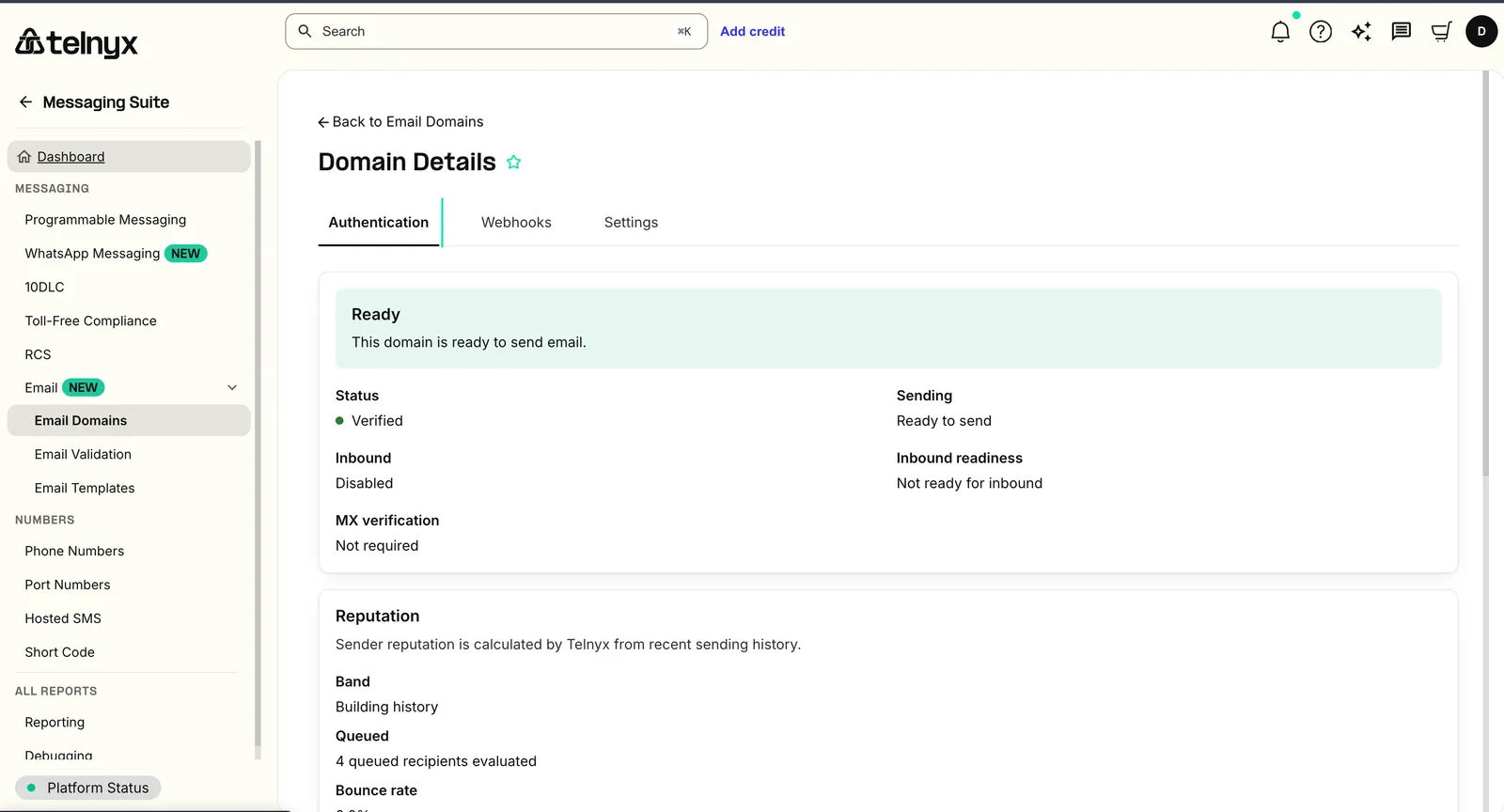
Telnyx Email API users can now manage three core email workflows directly in the Telnyx portal: domain setup, template building, and address validation. No API calls required for any of it.
What's new
- Email Domains: Add and verify sending domains, review DNS records, and monitor domain health from one place.
Email Domains: Add and verify sending domains, review DNS records, and monitor domain health from one place.
- Email Templates: Create, edit, and preview templates with Liquid variables, in both HTML and plain-text versions.
Email Templates: Create, edit, and preview templates with Liquid variables, in both HTML and plain-text versions.
- Email Validation: Validate a single address or run batch checks to catch address-quality issues before you send.
Email Validation: Validate a single address or run batch checks to catch address-quality issues before you send.
Why it matters
Reliable email requires more than an API endpoint. Domain authentication, reusable content, and list quality are the parts that determine whether mail actually arrives, and until now they lived in separate tools or required developer time. Bringing them into the Telnyx portal means both engineers and non-technical teams can set up, build, and clean their email programs in the same place they already manage voice, messaging, and number workflows. Faster setup, fewer sending errors, and no extra vendor dashboard.
Example use cases
- Developers authenticate a sending domain and troubleshoot DNS records without leaving the portal.
- Marketing teams build and preview reusable templates for campaigns, lifecycle emails, and transactional messages.
- Operations and support teams validate recipient addresses before import or send, reducing bounce risk and list-quality issues.
- Cross-functional teams share one portal workflow for setup, content, and validation.
Getting started
- Go to Email Domains in the Telnyx portal to add and verify a sending domain.
- Open Email Templates to create and preview reusable templates with variables.
- Use Email Validation to check a single address or validate a list before sending.
- Start building with the Email API once your domain and content are ready.
Learn more in the Email Domains docs, the Email Templates docs, and the Email Validation docs.