Another month goes by, which means it’s time for another release!
The ClickHouse 26.10 release contains 104 new features 🎃 225 performance optimizations 🍂 and 739 bug fixes 🦉.
This release brings function composition for more readable SQL, more flexible JOIN conditions, and new ways to work with text and SQLite files.
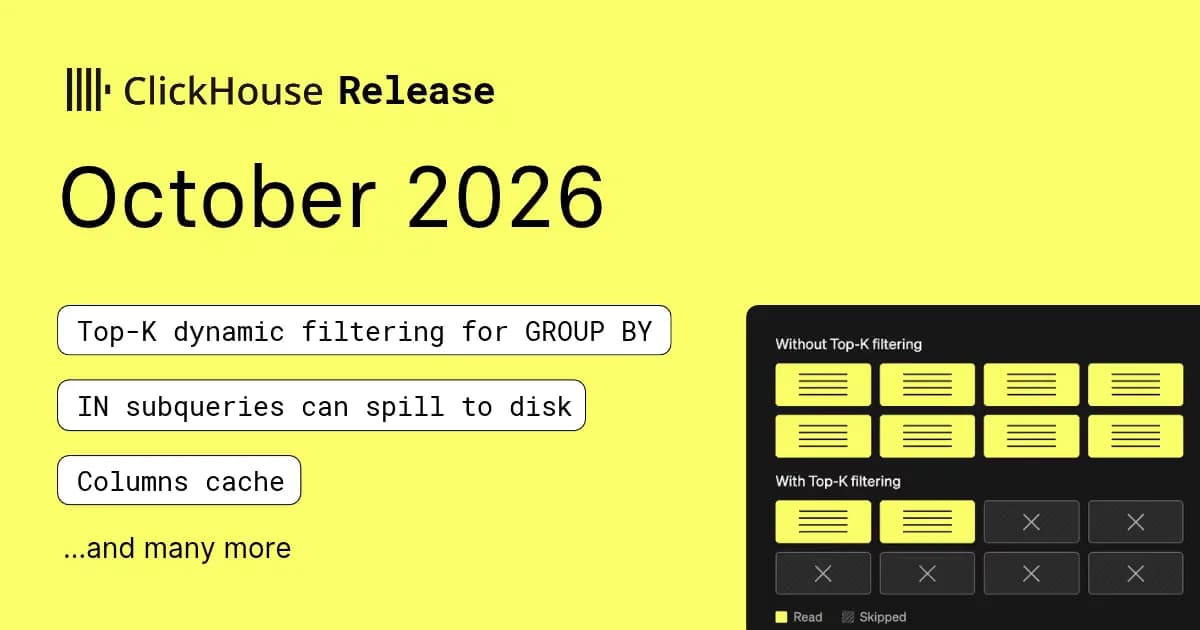
We also have faster GROUP BY queries, disk spilling for IN subqueries, and an experimental columns cache that saves repeated reads from decompressing and deserializing the same data.
A special welcome to all the new contributors in 26.10! The growth of ClickHouse's community is humbling, and we are always grateful for the contributions that have made ClickHouse so popular.
Below are the names of the new contributors:
ARON, Aarav, Abdullah Kaya, Akanshaak, Aleh Strakachuk, Aleksandr Efimov, Alexey Sitnikov, Andrea Debernardi, Andrew Wilkins, Angelica Ismailos, Armin Braun, Arvind Kumar, Ashish Choubey, Azarudeen Shariff A, Azhar Izzannada E, Bentsi Leviav, Chester, Craig Ringer, David Rolfe, Denis Voytyuk, Dimitri König, Frank Denis, Fábio Neves, GON, Gheorghe Pucea, Ilias, Ilias Aberkane, Javier G. Sogo, Jay Pokale, Jaysurya Ray, Jonathan Ackerman, Knut-Aage-Hofseth, Krithika Balagurunathan, LeeTeng2001, LyJacky, Maksim Andreev, Mike Lewis, Mishalski, Mohammed Sohail, Nick Akey, Oleg Milanov, Prince Maurya, RJ, Ray Winkelman, Rion Bora, Sam Wolfberg, Shahzeb Ali, Thomas Sileghem, Tom Alard, Unamed, Uwez Khan, Vadim Lopatin, Vector, Vitaly Pryakhin, Vlad, VrtxOmega, Zach Rippas, ZainnQureshii, ajay tomar, amogiska, antonioscaramuzzino, arc1999, artemkulyk, awss, azharizz, bentsileviav, bisht2050, clickgapai, comino, dhruvtaneja-ch, dosedaf, erezrokah, gonappuccino, jacky, linjiayu1025-collab, namtran1812, seva-potapov, sunliqiang, superdiaodiao, tianhui-fu, tridao, turbolytics, turbolytics.io, ultrabig, vector524
Hint: if you’re curious how we generate this list… here.
You can also view the slides from the presentation.
If you’ve used ClickHouse’s higher-order functions, like arrayMap and arrayFilter, you’ll know that the lambda you pass in can quickly turn into a series of nested function calls. ClickHouse 26.10 adds a function composition operator, which means we can now create a pipeline of functions joined with the | operator, making these lambdas easier to read.
Let’s see how the two styles compare when extracting site names from some URLs. We're going to lowercase the URL, strip the www prefix, take the first significant subdomain, and then uppercase it.
Both columns give the same result, but the composed version reads more like a list of steps. Each function here can be called with just the value passed along, so we didn’t need to say where it should go.
To pass additional arguments to a function, use _ to mark where the value from the pipeline goes. For example, substring(_, 1, 3) takes the first three characters of the string passed along:
Higher-order functions can also take several arrays of the same length, which they process position by position. In that case, use _1 for the element from the first array, _2 for the matching element from the second, and so on. Let’s work out the line totals for an order by multiplying each price by its quantity, and then format the results as prices:
Placeholders also work on their own, without |, as a shorter way of writing a lambda. For example, _1 * _2 means the same thing as (price, quantity) -> price * quantity, as shown in the following example:
Under the hood, ClickHouse turns the pipeline into an ordinary lambda during query analysis. We can see this by running EXPLAIN SYNTAX with run_query_tree_passes = 1, which shows the query after the analyzer has rewritten it:
The | chain has become a lambda with the same nested expression we started with, so the two styles run in exactly the same way and you can use whichever one you prefer.
Quotas let you limit how much a user can do in a given time interval. ClickHouse 26.10 adds a written_rows counter, so you can cap ingestion by the number of rows a user writes.
Let’s create a table and an ingest user who can write at most 100,000 rows, across no more than 250 inserts, per minute:
The first insert of 60,000 rows goes through without any problems:
But if we run the same insert again within that minute, it takes us over the limit:
The rejected insert doesn’t write any data, so the table still contains 60,000 rows. As with other quotas, you can see how close each user is to their limits in system.quotas_usage:
This 26.10 release also brings a handful of new functions for working with arrays and maps.
arrayMinIndex and arrayMaxIndex return the position of the smallest and largest element, optionally after applying a lambda to each one. arrayRemoveAt removes the element at a given position, and negative positions count back from the end.
Let’s see what each of them returns on some small arrays:
Array indexes in ClickHouse start at 1, so the smallest value, 2, which is in first position in the array, has an index of 1
Array indexes in ClickHouse start at 1, so the smallest value, 2, which is in first position in the array, has an index of 1
We could then can pass the results straight into another array to look up a matching value. In the following example, we find the coldest and warmest days of the week, and then drop Friday from the list:
For maps, mapRemove drops a key, mapEntries returns the key-value pairs as an array of tuples, and mapContainsKeyValue checks whether a map contains a specific key-value pair:
mapContainsKeyValue can also use text indexes, which makes filtering on labels a lot quicker when you have plenty of rows.
Finally, the -Map combinator no longer needs a Map column. You can pass the key as the last argument instead, which makes it easy to aggregate per key directly from rows:
In ClickHouse, dividing one integer by another has always returned a floating-point number, so 7 / 2 gives you 3.5. PostgreSQL, SQL Server, and SQLite all truncate that to 3 instead.
Alexey’s take on the release call was that ClickHouse is right and everyone else is wrong, but if you’re porting queries from another database and need them to be wrong in the same way, there’s now a setting for that. Here’s the default behaviour:
And if you prefer the PostgreSQL way, you can enable sql_compatible_division_for_integers:
The result is truncated towards zero and keeps an integer type, while dividing by a floating-point number still gives you a float. With the setting enabled, dividing by zero throws an error rather than returning inf:
The setting is disabled by default. Views and other stored definitions keep the division behaviour they were created with, so enabling it won’t change the results of your existing views.
When we use IN with a subquery, ClickHouse builds a set of the values returned by that subquery and checks the outer query’s rows against it. A large set can use a lot of memory. ClickHouse 26.10 adds the ability to spill this set to disk, allowing the query to complete with a smaller memory limit.
Let’s try it with the UK property prices dataset, which contains property sales in England and Wales since 1995. We want to count sales in 2024 at addresses that also have a recorded sale before 2024. We’ll match on the postcode and the two address fields, addr1 and addr2, which identify the building and, where applicable, the flat. This is an address-based match rather than a permanent property identifier, and we’re counting sales rather than distinct properties.
First, let’s give the query a 4 GiB memory limit and leave spilling disabled:
The subquery reads 29.3 million earlier sales to build its set of addresses. On ClickHouse 26.10, this query used 1.96 GiB of peak memory. Let's see what happens if we reduce the memory limit to 512 MiB:
ClickHouse runs out of memory. We can now enable spilling by setting max_bytes_before_external_set. Let’s use a threshold of 128 MiB, keeping the query’s overall memory limit at 512 MiB:
This time we have a peak memory usage of 203 MiB. That’s above our 128 MiB spill threshold, which tells ClickHouse when to start spilling rather than imposing a hard memory limit. The query also needs memory to read and process data, so we set the spill threshold below the overall 512 MiB limit.
If we look at profile events, by pressing the space bar while the query's running, we'll see that ClickHouse spilled one set to disk and wrote four parts:
The following table summarizes the various configurations we used:
ClickHouse 26.10 improves grouping by multiple LowCardinality columns. It can serialize the grouping keys directly from their dictionaries and cache aggregate-state lookups for repeated combinations of keys.
Let’s reuse our uk_price_paid table to count sales and calculate the average price for each combination of county, district, town, and outward postcode. All four grouping columns have a column type of LowCardinality(String):
We use FORMAT Null to run the query without printing its 15,409 result rows, so terminal output doesn’t affect the comparison.
Let’s run the query three times on ClickHouse 26.9:
And now three times on ClickHouse 26.10, using the same data and table layout. Both versions use the default 12 threads on my machine:
If we take the best time from each version, the query took 255 milliseconds on 26.9 and 171 milliseconds on 26.10, meaning 26.10 is just over 30% quicker.
ClickHouse 25.12 introduced dynamic filtering for ORDER BY … LIMIT queries, using the current Top-K boundary to avoid unnecessary column reads and skip granules through minmax indexes. ClickHouse 26.10 extends this approach to GROUP BY queries and adds granule skipping through the primary index.
Let’s reuse our UK property data to find the ten most recent dates with recorded sales, along with the number of sales and their average price. We’ll create a separate table containing the two columns used by the query, sorted by date. This layout lets ClickHouse use both mechanisms: filter older sales before reading their prices, and use the primary index to skip granules whose dates are all older than the cutoff.
This copies all 30m sales and merges the new table into a single part. We’ll run the query on ClickHouse 26.10 so we can see what the output looks like:
The query returns the following ten dates:
Time to test it with and without the optimization using clickhouse-local. The timings come from the CLI’s --time output, and the read counts/peak memory come from --print-profile-events:
Changing enable_group_by_top_k_dynamic_filtering to 1 gives us:
From the table of results, we can see that with filtering enabled, ClickHouse reads around 94% fewer rows. The runs with the optimization skipped 3,529, 3,521, and 3,529 granules respectively, whereas no granules were skipped without it. The exact amount of work varies as the parallel aggregation streams discover and publish their cutoffs.
We can confirm that whole granules were skipped using the TopKGranulesSkippedByPrimaryKey profile event. With --print-profile-events --profile-events-delay-ms=-1, the CLI reports the final event totals. For the first enabled run, the relevant values were:
ClickHouse 26.10 introduces an experimental columns cache, which keeps deserialized column data in memory, saving subsequent queries from decompressing and deserializing it again.
Let’s reuse our UK property dataset to count sales where the first address field contains HOUSE. We'll create a copy containing the price and address columns, keeping the original sort order:
The cache currently supports wide MergeTree parts. Setting both size thresholds to 0 forces this format.
First, let's run the query with the columns cache disabled:
After one unmeasured run to warm the filesystem cache, we'll run this query three times, using sorted-columns-cache:off-1, sorted-columns-cache:off-2, and sorted-columns-cache:off-3 as the log comments.
Then we'll change use_columns_cache to 1 and run it three more times, using comments sorted-columns-cache:on-1, sorted-columns-cache:on-2, and sorted-columns-cache:on-3. The first enabled run populates the columns cache, and the next two reuse it.
With caching enabled, the query caches addr1. It doesn't read price, for example, so that column isn't cached. But, if we added a condition on price, any data read from that column would also be cached.
With query logging enabled, we can retrieve the timings and cache counters from system.query_log, using the following query:
With the columns cache disabled, the query takes 32–34 milliseconds. cacheHits is 0 because ClickHouse isn't looking in the cache.
The run in which the cache gets populated takes 37 milliseconds, and the next two runs that use the cache each take 12 milliseconds, with all 3,718 granules of addr1 read from the columns cache.
SelectedRows stays the same: ClickHouse still evaluates the filter against all 30.45 million rows, but it can reuse the decoded address data. The cache stores column data rather than the query result, so other queries reading the same data can benefit too.
ClickHouse 26.10 adds experimental support for LATERAL JOIN, which lets a subquery reference columns from a table that appears before it. We can enable it by setting allow_experimental_lateral_join = 1.
We'll use the IMDb dataset from our joins examples to find the three highest-rated films for each of three actors. The actors table contains their names, movies contains film details and ratings, and roles connects actors to the films they appeared in.
Line 12 is the important one: WHERE r.actor_id = a.id. The a.id value comes from actors AS a in the outer query. The LATERAL lets our inner query use that value, which means we find the top three films for this actor. LIMIT 3 applies per actor, rather than selecting three films across the whole dataset.
For each selected actor, the inner query finds their roles, joins them to the film details, and excludes films without a rating. The GROUP BY removes duplicate films where an actor has multiple role records. It then sorts by rating, using the year and film ID to break ties, and returns the top three.
We get nine rows: three films for each actor.
ClickHouse 26.10 also supports JOINs with arbitrary ON conditions, including those without an equality condition between the tables. Let's use this to categorize website traffic using URL patterns.
First, we'll create a table containing page view counts:
We'll store the categorization rules in a separate table. The % wildcard matches any sequence of characters:
We can now join the tables using LIKE to match each path to a category:
Keep in mine that the flexibility of arbitrary joins can be expensive: the block nested loop join checks every pair of rows, so it can be as slow as a cross join and is used as a last resort by the query planner.
ClickHouse 26.10 also adds the Freeform input format, which infers columns and their types from consistently structured text.
Let's see how it works by piping the output of ls -l into clickhouse-local. The piped input will be available as table and can be queried the same way as any other table. The following query desribes the output of ls -l:
We can see from this output that ls -l outputs 10 columns, which are named c0 to c9. We can query table to return all columns with the following query;
Let's give the columns meaningful names, format the file sizes, and combine the date fields into a timestamp. This listing doesn't include a year, so we'll use the current year for these recent files:
ClickHouse already supports querying SQLite databases through a database engine, table engine, and table function. Version 26.10 adds SQLite as an input and output format, letting us export query results directly into a SQLite database file, ready to open with SQLite tools or share with someone else.
Let's reuse our IMDb movies table to count films and calculate their average rating for each year of the 1990s:
ClickHouse uses the SQLite format becaues of the .sqlite extension of the output file, but we can also specify the output explicitly by specifying FORMAT SQLite after the file name. We write ten results in a table called films_by_year.
We can open the file with the sqlite3 command-line tool and query it:
ClickHouse can also read the file back, inferring the column names and types:
ClickHouse 26.10 can check string filters such as LIKE, startsWith, and endsWith while deserializing a column, avoiding copying non-matching strings into memory. The optimization is enabled by default through apply_string_filters_during_scan.
Let's try it with the Amazon reviews dataset. We'll load the 2010 and 2011 Parquet files from our Freeform example into a MergeTree table, giving us 9.98 million reviews:
We want to count reviews containing the word disappointed. First, let's disable the optimization, along with the columns cache, query cache, and query condition cache:
We ran this on ClickHouse 26.10 with the default 12 threads, after merging the table into one Wide part. After one warm-up with each setting, we alternated three measured runs with the optimization disabled and enabled. The timings and peak memory figures below come from system.query_log.
With apply_string_filters_during_scan = 0:
Changing apply_string_filters_during_scan to 1 gives us:
Every run returns the same 293,115 matches. Execution time is similar, but peak memory drops from around 129 MiB to 2.54 MiB, a reduction of about 98%.