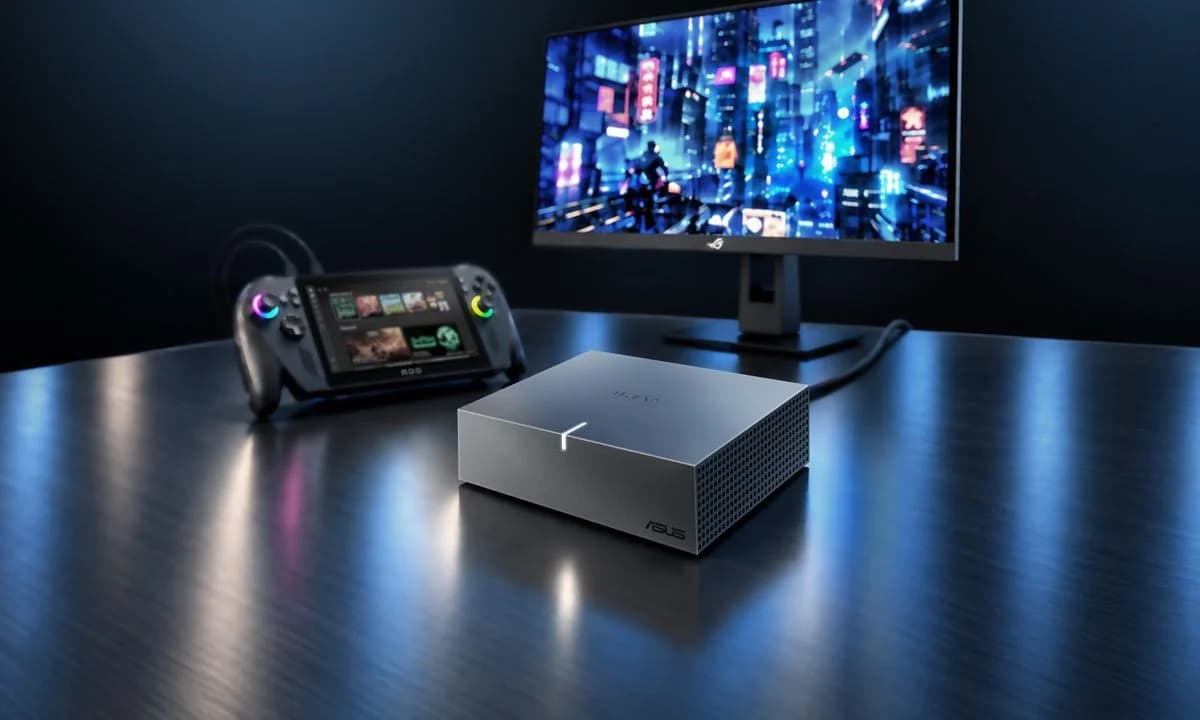
Portable Radeon graphics and AI acceleration for laptops, gaming handhelds and mini PCs
- Radeon™ RX 9060 XT LP GPU with AMD RDNA™ 4 architecture and 16GB of GDDR6 memory accelerates gaming, content creation and AI workloads
- USB4® with up to 40Gbps bandwidth adds discrete graphics to compatible laptops, gaming handhelds and mini PCs without internal hardware modifications
- Compact 144 x 117 x 39mm design combines portable GPU power with HDMI® and DisplayPort™ outputs, plus GPU Tweak III tuning and monitoring support
TAIPEI, Taiwan, November 6, 2026 — ASUS today announced the XG Core Radeon RX 9060 XT LP 16GB GDDR6, a compact external graphics solution that adds discrete graphics to compatible laptops, gaming handhelds and mini PCs through USB4® connectivity. Powered by AMD RDNA™ 4 architecture, it pairs 16GB of GDDR6 memory with support for gaming, creative applications and compatible AI workloads. With the XG Core, users do not need to make any internal hardware modifications to their device to access the power of discrete graphics.
Discrete graphics for more demanding workloads
Thin laptops and compact PCs make everyday computing convenient, but users may need additional graphics power as their games and applications become more demanding. XG Core offers a way to extend the capabilities of a compatible device without replacing the entire system. Its external design adds a dedicated GPU when needed, giving users the flexibility to keep the device they already use for work, travel or play.
Powered by AMD RDNA 4 architecture, the Radeon RX 9060 XT LP GPU brings dedicated graphics resources and 16GB of GDDR6 memory to the setup. For gamers, this enables richer visuals and smoother gameplay on supported systems. For creators, GPU acceleration helps with video editing, 3D rendering and design applications that can take advantage of the Radeon GPU.
Portable power for creative and AI workflows
Measuring just 144 x 117 x 39mm, XG Core fits easily into a gear bag, making it practical to carry additional graphics power between home, the office and a creative workspace. Users can build their setup around a portable computer while keeping an external GPU available for the tasks that need it most.
Beyond graphics, XG Core supports local AI image generation and large language model inference in compatible software. Applications such as ComfyUI, LM Studio and Ollama give users ways to explore AI workflows using their own hardware. This combination of GPU acceleration and portability makes XG Core useful for creators experimenting with AI tools alongside their existing production applications. Performance and software compatibility depend on the workload, model and system configuration.
Simple connectivity for an expanded setup
A USB4 connection links XG Core to a compatible host, providing a straightforward graphics upgrade without opening the device or modifying its internal hardware. Support extends to compatible laptops, mini PCs and gaming handhelds, including the ROG Ally X and ROG Xbox Ally X. XG Core also supports compatible Thunderbolt™ 3 systems, giving users additional options for adding external graphics to an existing setup.
Built-in HDMI® and DisplayPort™ outputs make it easy to connect a desktop gaming monitor, a larger screen for creative work or a portable display. By combining external graphics with display connectivity, XG Core helps users move from a compact mobile device to a more capable workspace. Host connectivity and external GPU support should be checked before use.
Tuning and monitoring with GPU Tweak III
ASUS GPU Tweak III gives users tools to tailor graphics behavior to their needs. The software provides controls for GPU core clocks, memory frequency and voltage settings, along with advanced fan control. Real-time monitoring and a customizable on-screen display keep key operating information visible during gaming or creative work.
Users can monitor how the GPU responds to different workloads and adjust supported settings to suit their preferred balance of performance, temperature and fan noise. GPU Tweak III brings these controls into one interface, making it easier to manage the graphics experience as users switch between applications.