Most small teams don’t lose deals because they lack effort. They lose them because a lead sat in a spreadsheet, a note never got logged, or three people each had a different version of the same customer. This post breaks down what conversational CRM is, how it works, how it compares to traditional CRM, and how Slack CRM makes conversational CRM real for a lean team.
Conversational customer relationship management (CRM) is an approach that replaces static, form-filled dashboards with real-time messaging and natural language interfaces, centered on Slack CRM and powered by artificial intelligence (AI). Instead of searching through separate tabs for customer details, your team works with that data directly in Slack channels, email, text, or website chat.
Before we dive into the differences, let’s find out what you know about conversational CRMs as of yet:
- No CRM yet: You haven’t tried Slack, Salesforce or any CRM just yet, but you can see the value.
- Using CRM daily: You use a connected CRM (like Slack or Salesforce) daily with your team, and understand it’s worth — in fact, you’re ready to automate and integrate.
- Using another CRM: You use another type of CRM that isn’t listed here, but are open to finding out more information.
There are two types of CRM to consider, traditional and conversational. Let’s take a look at both.
Traditional CRM vs. Conversational CRM
Tools are evolving fast with automation and AI. Let’s take a look at the core differences between a traditional customer relationship management tool and a conversational one:
Traditional CRM: Data is manually inputted in forms and tables until updated by hand with some automation. Users must context-switch between standalone apps and browser tabs, while account details remain siloed with individual reps and require manual report building to analyze pipeline status.
Conversational CRM (Slack CRM): Data acts inside the conversation, capturing customer details and notes automatically during real-time chats. Updates happen as work happens—all connected—embedding pipeline alerts directly inside everyday messaging channels to unite sales, support, and marketing while AI agents answer plain-text queries in seconds.
Now that we know the differences between both, we can take a look inside how it works and some tools that may be a great place to start.
How conversational CRM works
Modern conversational CRMs connect everyday operations by bridging the gap between team communication and customer data. Behind the scenes, these key capabilities work together to reduce manual effort and keep your workflow moving smoothly. Let’s take a look:
Convsersations in real-time data capture
Customer chats, calls, and emails get logged automatically and pulled into a single customer profile. Nobody has to remember to type up notes after the call — the record is already there when the next person picks up the thread.
Collaborative, threaded AI-driven insights
Embedded AI summarizes ongoing threads, tracks your pipeline, and flags important account signals before they slip by. AI agents can handle the repetitive follow-up while your people focus on the conversations that need a human voice.
Natural language queries right in chat
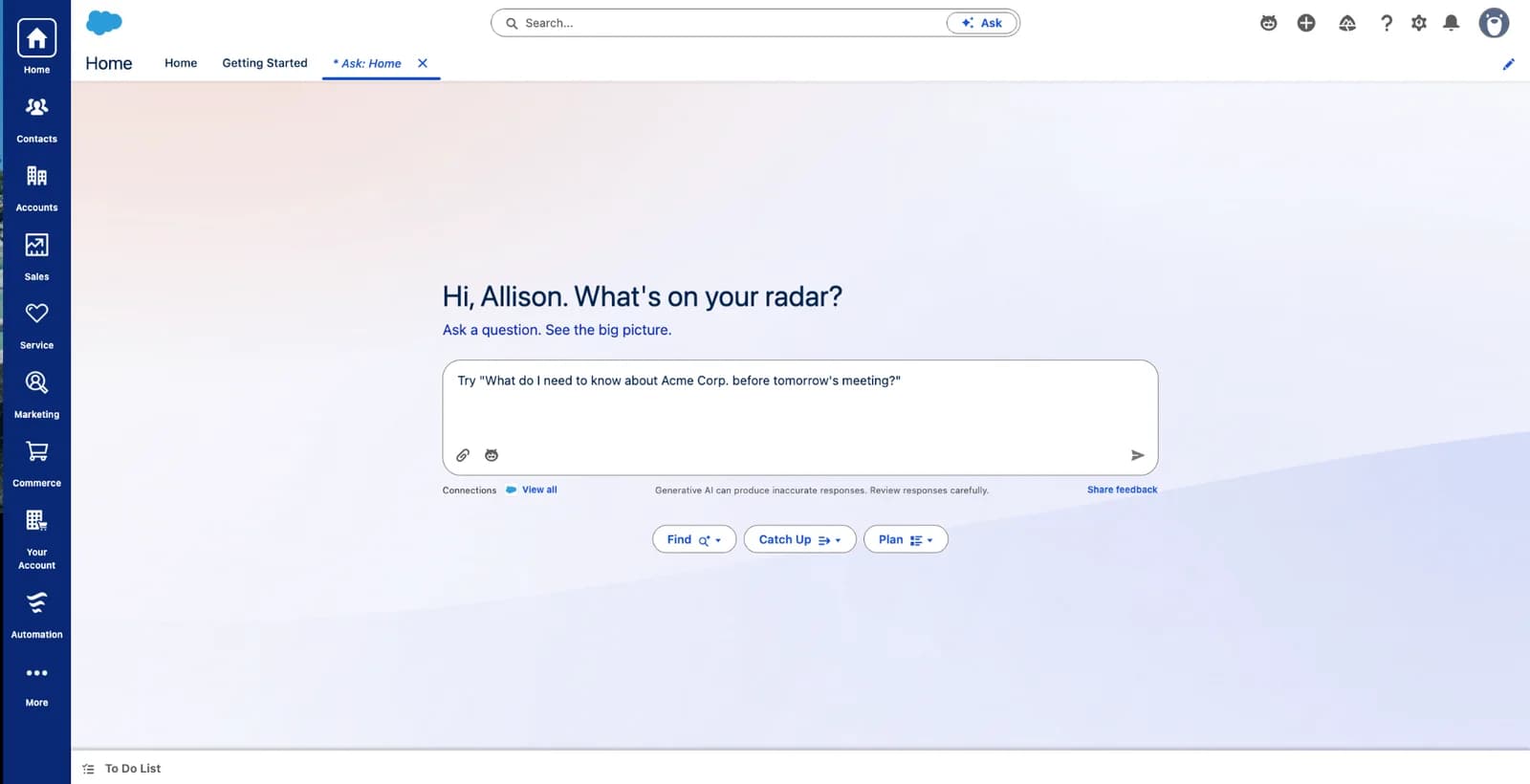
Ask a plain-text question like “What’s the latest status on the Rivera deal?” and get an answer, no rigid report required. It’s a small shift that changes who can use the data: Not just the one person who knows where everything lives, but everyone on the team.
Conversational CRM tools and platforms to know
When you’re comparing options, it helps to know the difference between a tool and a platform. Here’s an overview of leading conversational CRM platforms and their standout features:
Slack CRM
Slack CRM offers deep CRM integration, cross-team chat channels, and built-in AI agents for unified sales, service, and marketing directly inside your team workspace. Offers a free tier, plus business free trials within Salesforce Suites.
HubSpot
HubSpot features conversational marketing, shared team inboxes, and automated chat messaging tied to inbound pipelines. Offers free-tier options with tiered paid plans based on contact volume and feature tiers.
Creatio
Creatio provides no-code conversational AI, natural language interfaces, and customizable workflows. Features modular pricing based on user seats and deployment requirements.
Paradox
Paradox specializes in conversational candidate relationship management and automated recruitment workflows. Pricing is customized based on enterprise hiring volume.
Get Slack for Small Business.
Growing teams can take business to the next level.
Why Slack CRM is the core conversational CRM solution
Considering Slack for your conversational CRM? Slack CRM brings customer data and AI agents directly into shared team channels, pairing sales, service, and marketing in one turnkey application so your team operates off the exact same view of the customer.
See customer context without leaving the conversation
With Slack CRM, your team has the full customer context they need without switching tabs. A teammate can pull up a contact’s history right in the same channel thread where the question came up.
Your team gets deal updates right in your channels
Ask Slackbot instead of running a report
Natural language queries mean anyone on the team can ask about a deal, a customer, or a pipeline stage and get an answer in seconds. No dashboard training needed.
Leads aren’t slipping through
Follow-up is the first thing to break on a busy week. Slack CRM automates reminders and nudges so manual follow-ups and data entry stop being your problem.
Service and sales stay close
Your best customer relationships deserve a fast, informed response. Slack CRM connects service interactions to the rest of the customer record, getting the right person in the thread quickly to resolve cases faster.
How to implement a conversational CRM
Implementing a conversational CRM isn’t a one-size-fits-all process. Whether you’re moving off spreadsheets or connecting an enterprise platform, rollout adapts to your specific team setup, tech stack, and workflow priorities. While exact timelines vary depending on your starting point, setting up your conversational workspace generally follows four key steps:
- Connect your communication channels: Integrate your CRM with everyday messaging platforms like Slack, email, SMS, and website chat.
- Unify customer data: Ensure sales, service, and marketing data flow into a central CRM platform (like Salesforce) to create a single system of truth.
- Deploy AI agents and workflows: Set up prebuilt AI agents or automated bots to handle routine follow-ups, summarize threads, and answer natural language queries.
- Train your team: Onboard team members to query data using natural language prompts directly within chat channels instead of pulling manual reports.
Slack CRM: Simplicity of Slack. Power of Salesforce.
Meet your new conversational AI CRM. Run your entire business in Slack, with the power of Salesforce.
Getting started with Slack CRM
Conversational CRM works best when the conversation and the customer record stop being two separate places. Slack CRM gives your team that unified space where sales, service, and marketing work seamlessly together, creating a conversational CRM your team actually wants to use.
Get started with Slack CRM today to transform how your team manages customer relationships.
AI supported the writers and editors who created this article.
What is conversational CRM?It’s a CRM approach that replaces static, form-filled dashboards with real-time, AI-powered messaging and natural language interfaces. Your team works with customer data directly in chat, text, email, or website chat.
How is conversational CRM different from traditional CRM?A traditional CRM is a static system of record where people log and search data by hand. A conversational CRM is an active system of engagement that pushes data into the workflows and chat apps your team already uses.
Can small businesses use Slack CRM easily?Yes. Slack CRM is designed as a turnkey conversational CRM solution for growing teams, allowing you to bring customer records, deals, and team communication together into one platform.
What can I ask a conversational CRM?Plain-text questions like “What’s the latest status on this deal?” work in place of rigid reports. The AI pulls the answer from your connected customer data.
Do I need a big team or budget to start with Slack CRM?No. Slack CRM is a turnkey solution built for lean teams, offering guided setup so you can start automating customer follow-ups and data management from day one.