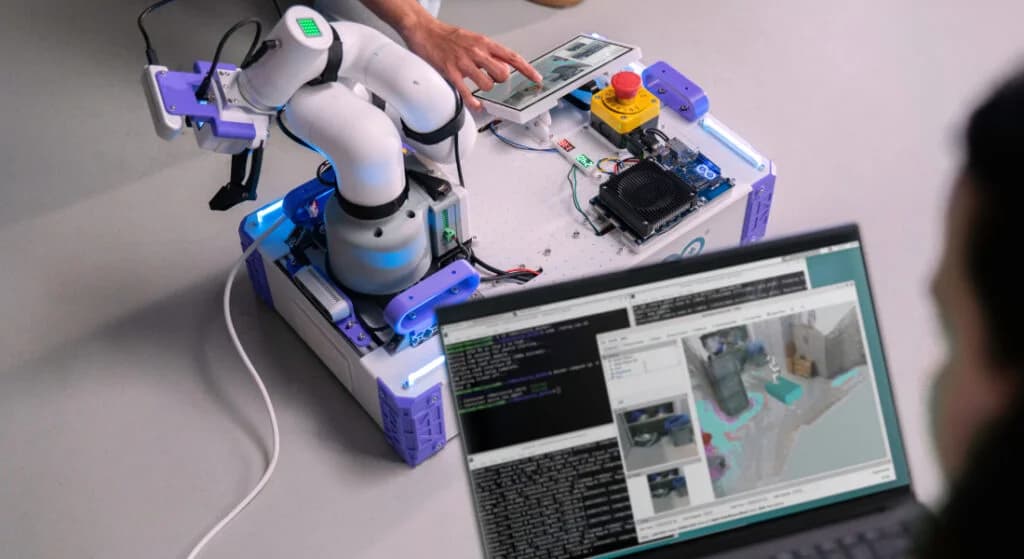
If you’ve ever built a robot with ROS 2, you know the classic architectural split: a powerful computer running Linux handles high-level navigation, mapping, and planning, while an external microcontroller handles the deterministic, real-time job of toggling GPIOs, reading sensors, and driving motors.
Getting those two worlds to talk to each other usually means wrestling with custom serial protocols, dedicated drivers, or heavy middleware wrappers. The Arduino® VENTUNO™ Q board was designed to make that boundary disappear.
Because VENTUNO Q is structured to combine a Linux-capable MPU and a real-time microcontroller on the exact same board, you get a true dual-brain architecture. A few weeks ago at ROSCon Global 2026 in Toronto, and again on November 3rd live at ROScon Italy, Giovanni Bruno from our R&D team shared a new open-source tool built specifically to connect those two brains to ROS 2: the Arduino_RouterBridge_ROS library.
Here is a look at how it works and how you can start using it in your next robotics build.
How it works: under the hood of Arduino RouterBridge
To understand how Arduino_RouterBridge_ROS operates, we first have to look at Arduino_RouterBridge.
At its core, Arduino_RouterBridge uses an RPC (Remote Procedure Call) protocol built on top of MsgPackRPC. It lets the Linux side (running Python) and the real-time microcontroller side (running a Zephyr-based Arduino sketch) execute code on each other using two straightforward methods:
- Bridge.provide() to register a callable function on one side.
- Bridge.call() to trigger that function from the other side.
Instead of writing custom serial parsing code, you simply call functions across the MPU and MCU boundary as if they were running in the same thread.
Bringing ROS 2 nodes directly into your Arduino sketch
Building on top of Arduino_RouterBridge, the new Arduino_RouterBridge_ROS library introduces a lightweight ROS 2 proxy that bridges microcontroller firmware directly to your ROS graph.
Using the familiar ros2ino namespace, you can write ROS 2 nodes directly inside your Arduino sketch:
- Full node capabilities: Instantiate ROS 2 nodes, publishers, subscribers, services, and actions right from the MCU.
- RMW agnostic: Because it relies on the lightweight RouterBridge transport, it works independently of whichever ROS Middleware (RMW) vendor you run on Linux.
- Native C++ interface: The API syntax mirrors standard ROS 2 C++ (rclcpp) patterns, keeping the learning curve virtually flat.
Now, your real-time microcontroller code can interact directly with ROS 2 without requiring you to set up additional bridge nodes, helping simplify development for robotics applications. For example, you can stream IMU telemetry straight into a /imu/data topic or listen to motor velocity commands on /cmd_vel.
Ready to build your next robot?
Are you engineering an autonomous mobile rover, designing a precision robotic arm, or wiring up your very first ROS-powered creation? Strip away the old serial communication headaches and focus on what matters most: building smart, capable machines.
Head over to our documentation to explore the new guides, including Getting Started with ROS 2 on UNO Q and First ROS 2 Project on UNO Q. Grab your VENTUNO Q, check out the repository, and show us what you build!