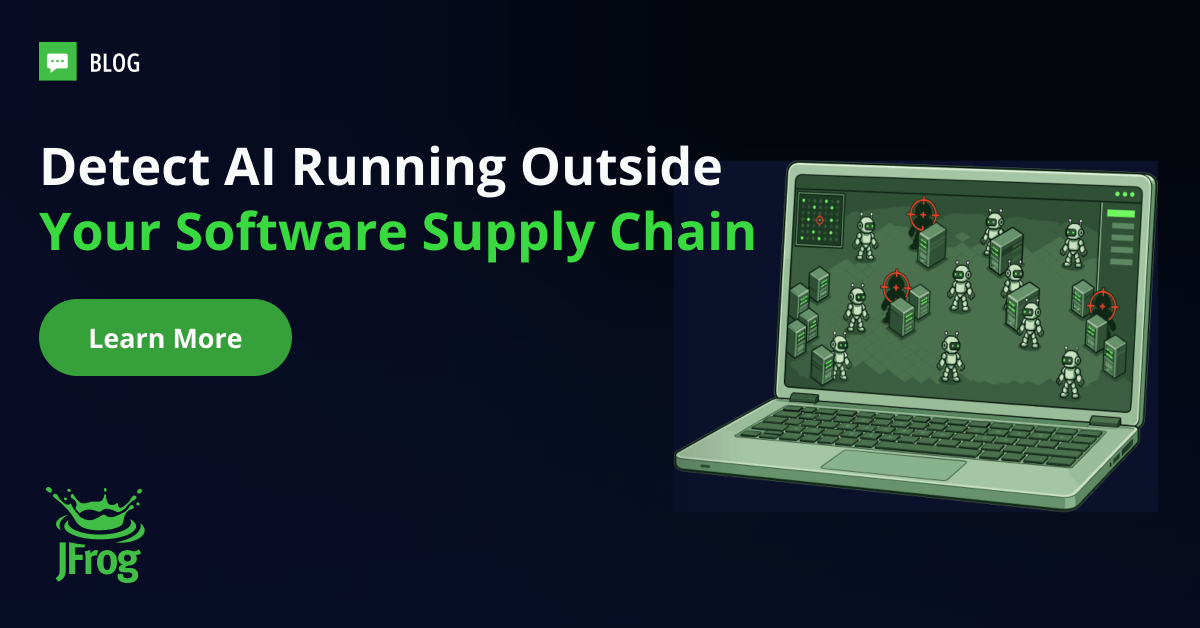
ZIP files shared between co-workers containing new agent skills, locally-developed MCP servers passed between developers, and locally stored newly-minted agents are all seemingly harmless files that are commonly used in corporate software development environments. Unfortunately, far from being harmless, these locally stored files can contain AI assets that were never detected or registered as an approved artifact in your applications.
Such skills are what we refer to as “Shadow AI,” and often they reside on private developer workstations, which are often not governed by central controls. The good news is that you can now detect “local Shadow AI”. By deploying JFrog AI Security, you can extend Shadow AI detection from your repositories to the laptops and workstations where these coding agents actually run, and the work gets done. Let’s break it down.
Ungated Executables: How AI Assets Bypass Security Controls
Up until recently, building software followed a strict, secure process: approved code and tools come from trusted official sources, get scanned for vulnerabilities, and must pass company security policies before anyone is allowed to use them.
In today’s “AI-Era”, you can no longer rely on this traditional process for AI assets. Because AI tools and developers can instantly introduce unvetted files, scripts, and plugins on-demand – often straight from GitHub, Slack threads, or even generated by the agent itself – these assets completely bypass standard security checks. This turns a controlled, predictable workflow into something instant, random, and unmonitored.
Some examples include:
- Skills: bundles of instructions and scripts that define how an agent performs a task.
- MCP servers: Model Context Protocol servers, the connectors that enable agents to interact with systems such as databases, Jira, or Slack.
- Plugins: installable packages that bundle skills, MCP servers, and more.
All of these unchecked assets represent serious potential security issues. Perhaps this is best exemplified by Hooks, where authors single-handedly decide what runs on which machine every time the agent is invoked – without ever consulting the rest of the team.
In essence, we wind up with two paths: the Managed Path where assets are scanned and vetted, and the Local Path where Shadow AI components go undetected.
Two paths for AI assets: one governed by JFrog, one with no gate and no review
Security Beyond the Repo: Protecting Developer Workstations
Until now, JFrog AI Security detected Shadow AI in your software supply chain by detecting AI models in your JFrog Artifactory repositories and calls to external AI services in your builds. That established a baseline for what we detect in the managed path of your software supply chain, and it worked pretty well, until now.
Shadow AI is more challenging to detect than third-party code and open-source packages, which are introduced into the development environment through a well established centralized build process and not stored on local machines.
Previously, the main risks on developer machines were due to extensions or tools over which DevOps had full control. The risk today is that malicious or non-compliant AI assets, used by coding agents, represent a new type of risk happening autonomously without visibility or control over developer laptops and workstations. This requires an added layer of protection that transparently detects Shadow AI on local machines without affecting developer productivity.
In addition to detecting AI assets on developer machines, JFrog AI Security also provides essential information to security teams and platform administrators regarding potential threats, including:
- What risk does it carry? A skill that can run shell commands carries much greater risk than one that only reads files.
- Is it allowed by organizational policy? A GitHub MCP server on a laptop may be acceptable if it matches the one you approved, but is a problem if someone built it from a random repository. JFrog plans to add this capability in a future release.
Here is how it works in practice:
Detection is enabled by installing the JFrog Agent Plugin on each developer workstation and operates by following these three steps:
- Discover. Detects potentially risky skills, MCP servers, plugins, hooks, commands, and monitors.
- Scan Locally. Runs a light deterministic rules-based scan on each workstation where the plugin is installed, designed so that the same input gets the same result every time.
- Report. Sends metadata, asset identity, findings, and risk analysis to the JFrog Platform.
How Shadow AI assets on developer workstations become visible
Centralized Visibility Across Managed & Unmanaged AI Assets
JFrog AI Security turns detailed AI asset reports into a single unified inventory. Each record shows the asset’s name, type, harness that reported it (Claude Code, Cursor, etc.), number of workstations where it was detected, local risk analysis, JFrog origin, and detection timestamp.
Two key metrics help prioritize the potential threats to address:
Risk Assessment reveals the underlying security findings for each rating upon selection:
- Shell Access + WebFetch: High risk of data exfiltration.
- Unscoped Write/Edit: Modifies files outside designated directories.
- BypassPermissions Mode: Executes actions without required approval.
Origin documents if the asset already exists in the JFrog Platform:
- JFrog Artifactory or JFrog Catalog: The selected asset matches an asset already managed by the JFrog Platform.
- No Match: The asset does not match any asset managed in your JFrog Platform.
Gain Complete Visibility Over Your AI Assets
Your developers might already be using AI assets that have not been vetted or approved. Detecting Shadow AI on workstations can help you understand the severity and risk associated with each unmanaged AI asset.
JFrog AI Security ensures managed and unmanaged AI assets follow the same rules as every other artifact you ship: one unified supply chain, one system of record with no Shadow AI exceptions.
See Shadow AI detection and control in action: Book a demo of JFrog AI Security.
This blog post is provided for general informational purposes only. It is not legal, compliance, or security advice and does not guarantee any security outcome. It reflects information available as of the publication date shown at the top of this post and may not be updated. Results depend on your environment, situation, and configuration. Product capabilities vary by edition and deployment model and are governed by your agreement with JFrog. JFrog is a registered trademark of JFrog Ltd. in the United States. All other trademarks referenced in this document are the property of their respective owners.