Key Takeaways
- At 1,252 CVEs this month, “patch everything now” isn’t a plan; teams need to decide what to patch first, what to test, and what to mitigate.
- Know your exposure early: Qualys InstaScan flagged affected assets about 40 minutes before Microsoft’s release notes page finished loading, with no new scan.
- Not every patch is safe on day one: about 35% of November patches earned a Low reliability rating from Qualys, based on public signals and telemetry from 500M+ deployed patches.
- Deploy in waves: proven risky exposures first, low-impact patches on automation, and high-impact patches through pilot rings.
- When a critical patch breaks, mitigate with a compensating control, then patch and retire the mitigation once a fixed update ships.
Every Patch Tuesday forces the same trade-off. Patch too slowly, and attackers get a head start on newly disclosed vulnerabilities. Patch too quickly, and a bad update can take down Exchange, break line-of-business apps, or trigger a wave of help desk tickets.
November 2026 showed both sides of that tension. Our data pointed to three lessons security and IT teams can use this month and every month:
- Know your exposure before the details are public
- Check whether a patch is reliable before you push it
- Have a fallback when it isn’t
Get Playbook
November at a glance
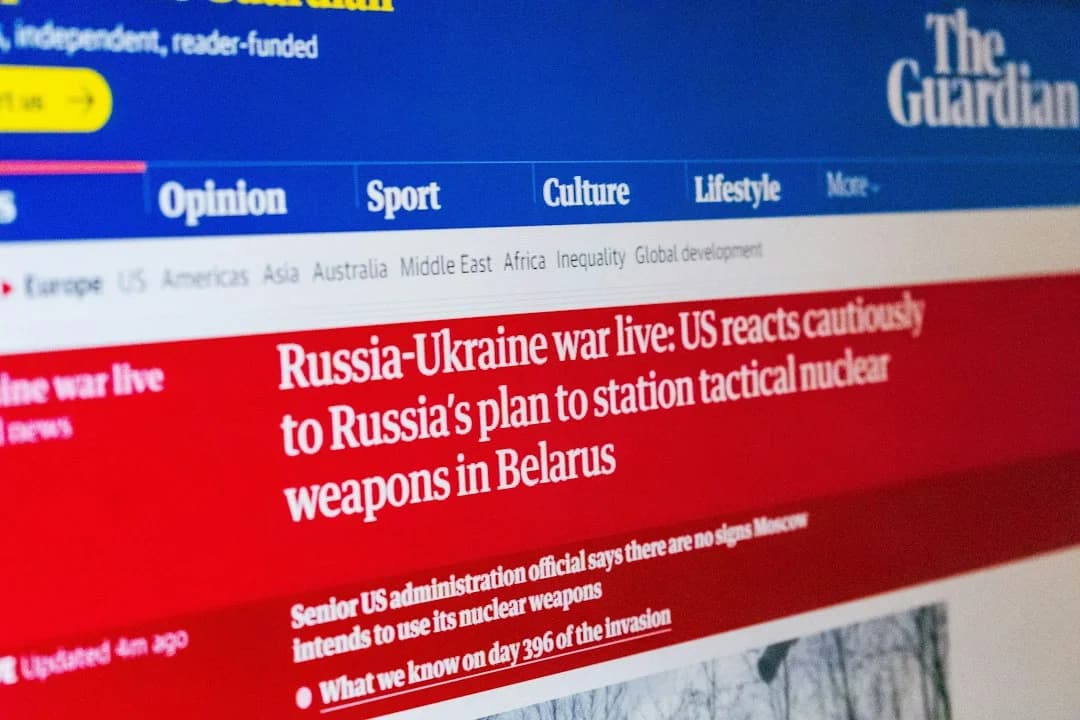
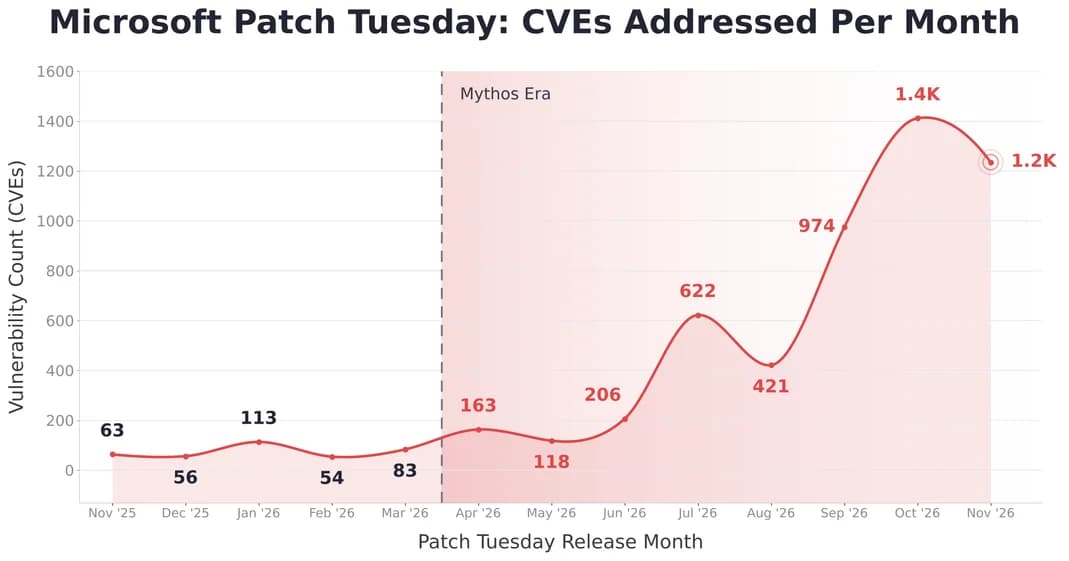
In November 2025, Microsoft addressed 63 CVEs on Patch Tuesday. In November 2026, with frontier AI models now accelerating vulnerability discovery, that number reached 1,252, nearly 20 times higher. And this isn’t an isolated month. Since April 2026, Microsoft has addressed an average of roughly 650 CVEs per month, nearly nine times the average of about 74 between November 2025 and March 2026. Each of the last three releases has addressed close to 1,000 CVEs or more.
With the same size team, manual patching can’t keep up. No team’s manual patching capacity has grown twentyfold in a year, and that gap is why speed alone isn’t enough.
The vulnerabilities worth knowing about:
- Outlook NTLMv2 hash disclosure (CVE-2026-124194). This one is exploited in the wild despite a Moderate rating. Opening a crafted message file skips Outlook’s external-content warning and leaks the user’s NTLMv2 hash to an attacker-controlled server.
- Exchange Server remote code execution (CVE-2026-118207). Rated Critical. An authenticated attacker with low-level access can run code on on-premises Exchange, and Microsoft rates exploitation more likely. If you run Exchange on Windows Server 2019, November hands you both problems at once: a critical Exchange flaw to close, and an OS update reported to break Exchange.
- Active Directory Domain Services remote code execution (CVE-2026-118146). A crafted request from a low-privileged user could run code on domain controllers. Exploitation is rated more likely.
- Recurring pressure points. Office and Outlook Preview Pane RCEs are back for a third month in a row, alongside a new zero-click Windows Search RCE and more Hyper-V escapes.
At this volume, “patch everything now” isn’t a plan. The real questions are what to patch first, what to test, and what to do when a patch can’t go out.
The three insights below answer those questions in the order they come up during a Patch Tuesday cycle: knowing your exposure as updates land, checking whether a patch is safe to deploy, and falling back to mitigation when it isn’t.
Insight 1: The faster you know your exposure, the sooner you can act
On November 10, Qualys InstaScan picked up Microsoft’s November security updates from Microsoft’s API the moment they were released. It began evaluating customer assets right away, roughly 40 minutes before Microsoft’s public release notes page finished loading. During that window, the page still showed a “{{release}}” placeholder in its title.
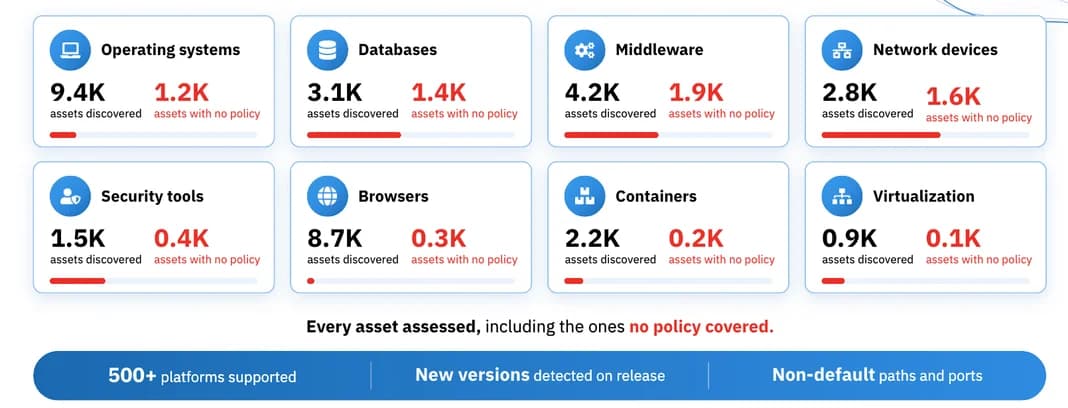
By the time most teams were reading the bulletin, InstaScan users already had a list of affected assets in front of them: more than 11,000 Microsoft findings in the InstaScan view, each marked “first found a few seconds ago.”
Why it matters: the first hours after Patch Tuesday are when prioritization happens, and attackers are using AI to create exploits after a patch is released faster than ever. Teams that know which assets are exposed before the details go public can plan rings, line up change windows, and flag critical systems sooner, instead of starting from a blank spreadsheet.
Note: InstaScan, powered by Qualys Agent Insta, works from the inventory and telemetry Qualys already collects, so no new scan is needed.
Find out how to eliminate risk at the source. Read the white paper.
Insight 2: Not every patch is ready on day one
As of 3 p.m. MT on November 11, about 35% of this month’s patches carried a Low reliability rating in Qualys’s AI-powered Patch Reliability Assessment. The rating combines public signals on every patch, such as vendor KBs and advisories, Linux release notes and sysadmin forums, with Qualys telemetry from more than 500 million deployed patches, including real rollback and vulnerability-reopen rates.Low reliability doesn’t mean “don’t patch.” It means “don’t patch blind.”
Example: KB5131085. Microsoft rated this cumulative update for Windows 10 / Windows Server 2019 (OS Build 17763.9487) Critical. It addresses CVE-2026-119892 and 574 other CVEs. It also earned a Low reliability rating, with two issues reported by the community:
- Exchange Server deployments may see sign-in, mailbox access and mail queue failures.
- USB Audio Class 1.0 devices may fail to start or lose audio output (Code 10).
For a team running Exchange on Server 2019, that’s the difference between a routine update and a messaging outage.
And it’s not an isolated case. Recent vendor-confirmed examples include a November SQL Server update (KB5129299) that can cause access violations when querying sys.dm_exec_requests during recovery, with no fix yet and a trace-flag workaround, and an October .NET Framework update for Windows 11 (KB5127694) that fails to install with error 0x800F0922 and rolls back after reboot.
No team’s manual patching capacity has grown twentyfold in a year. That gap is why speed alone isn’t enough.
What to do: deploy in waves with Agent Sara
Community signals tell you where to look; your own environment tells you whether a patch is safe. The answer isn’t one big push or one long wait. It’s sequencing.
In Qualys TruRisk Eliminate, Agent Sara builds intelligent remediation waves for you. It sorts every fix by risk, operational impact and patch reliability, then routes it to the right rollout: zero-touch first, rings for riskier patches, and patchless fixes where no patch fits.
- Wave 0: Proven risky exposures. Vulnerabilities on CISA’s KEV list, publicly exposed assets, and flaws an adversary can automate to take total control. These get fixed first.
- Wave 1: Low operational impact. High-reliability patches for browsers, standalone utilities and non-critical assets that don’t need a reboot. These go out with zero-touch automation.
- Wave 2: High operational impact. High-reliability patches for shared runtimes, dependencies and critical assets, where reboots are expected. These go out in rings: a small, representative pilot group first, including the configurations most likely to break (for KB5131085, your Exchange servers), then broader rings once the patch holds up.
- Wave 3: Beyond patching. Low-reliability patches, vulnerabilities with no patch available, and end-of-life apps. These get a mitigation instead (more on that below).
- Wave 4: Uninstall. Bloatware, unused user-space apps and residual files. Removing them shrinks the attack surface for good.
The result: the riskiest exposures close first, routine patches stop needing hands-on attention, and your team spends its time on the updates that actually need judgment.
Community signals tell you where to look; your own rings tell you whether it applies to you. In Qualys TruRisk Eliminate, Agent Sara builds these remediation waves for you.
Insight 3: When a critical patch breaks, mitigate
Sometimes the pilot ring confirms the bad news: the patch breaks something you can’t live without, yet the vulnerabilities it fixes are critical. Rolling back and waiting for a fix leaves the door open. Pushing it anyway takes the business down.
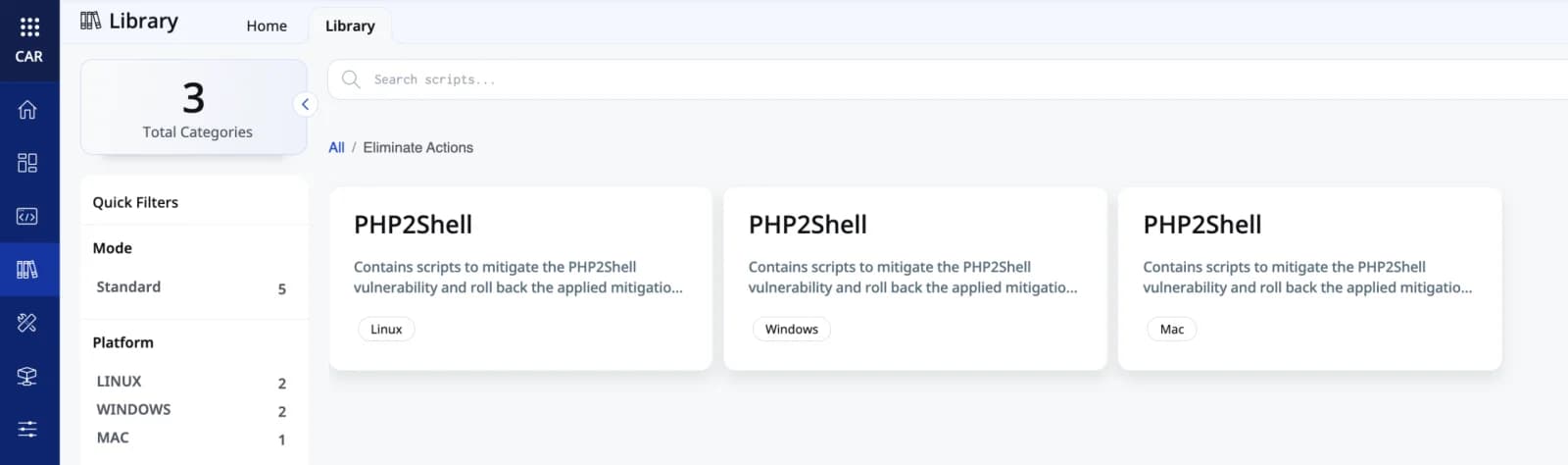
There’s a third path: mitigate. Apply a compensating control that closes the attack path without installing the update, such as disabling a vulnerable service or feature, changing a registry or configuration setting, or isolating the exposed asset. Keep it in place until the vendor releases a fixed update, then patch and retire the mitigation.
In the news this week: KB5132061. Microsoft has confirmed that its November 2026 security update for Windows 11 (KB5132061) fails to install on some devices that installed the October 2026 non-security preview update (KB5127936). Affected devices may retry the installation repeatedly or return errors 0x80070306, 0x800f0989 or 0x800f0993. Microsoft says the issue will resolve automatically within 24 to 48 hours of November 11, and asks admins to contact support if it persists.
Until then, those devices are missing every fix in this month’s Windows release, and retrying won’t change that. Instead of waiting, teams can identify which devices have KB5127936 installed, apply mitigations for the most critical exposures first, such as anything on CISA’s KEV list or rated exploitation more likely, and let the November update install once Microsoft’s repair lands. Then they retire the mitigations.
The same approach works when there’s no patch at all, or when the software is end-of-life. And for bloatware and unused apps, the cleanest fix is often to uninstall them and shrink the attack surface for good.
With Qualys TruRisk Eliminate, teams can deploy those mitigations at scale from the same platform that detected the exposure, and track which assets are protected by a patch, a mitigation, or neither.
The Patch Tuesday playbook
Speed and stability aren’t opposites if each step has a clear job:
- Detect early. Know which assets are exposed as soon as updates are released, not when the bulletin finishes loading.
- Assess reliability. Check community signals before deployment so known breakages don’t surprise you.
- Deploy in waves. Let Agent Sara sequence the rollout: riskiest exposures first, zero-touch for low-impact patches, rings for critical systems.
- Mitigate when the patch breaks. If a critical patch fails in testing, close the risk with a compensating control until a fixed update is available.
Request a Demo
Frequently Asked Questions
How should security teams prioritize patches after Patch Tuesday?
Deploy in waves. Fix proven risky exposures first, such as vulnerabilities on CISA’s KEV list and publicly exposed assets. Automate high-reliability, low-impact patches, and send high-impact patches through pilot rings.
Is it safe to deploy Patch Tuesday updates on day one?
Not always. In November 2026, about 35% of patches carried a Low reliability rating, including KB5131085, which is reported to break Exchange on Windows Server 2019. A Low rating means test first, not skip the patch.
What is a patch reliability rating?
It’s an AI-driven rating from Qualys that predicts how likely a patch is to break something in your environment before you deploy it. High reliability means deploy with confidence; Low means test, stage or delay broad rollout.
What is ring-based patch deployment?
It rolls an update out in stages, starting with a small pilot group that includes the configurations most likely to break. Once the patch holds up in your environment, it expands to broader rings.
How do I reduce risk when no patch is available or software is end-of-life?
Use a compensating control to close the attack path. For bloatware and unused apps, the cleanest fix is often to uninstall them and shrink the attack surface for good.
How can I see which assets are affected before Microsoft’s release notes are published?
Qualys InstaScan evaluates assets the moment Microsoft releases updates, with no new scan. In November 2026, it flagged affected assets about 40 minutes before Microsoft’s release notes page finished loading.