In August, we launched Slack Code with a simple belief: agentic development shouldn’t be single-player. Instead of disappearing into a private tab, agent work should happen where your team already works, out in the open. Launch partners including Anthropic, Cognition, GitHub, and Vercel put that concept to the test.
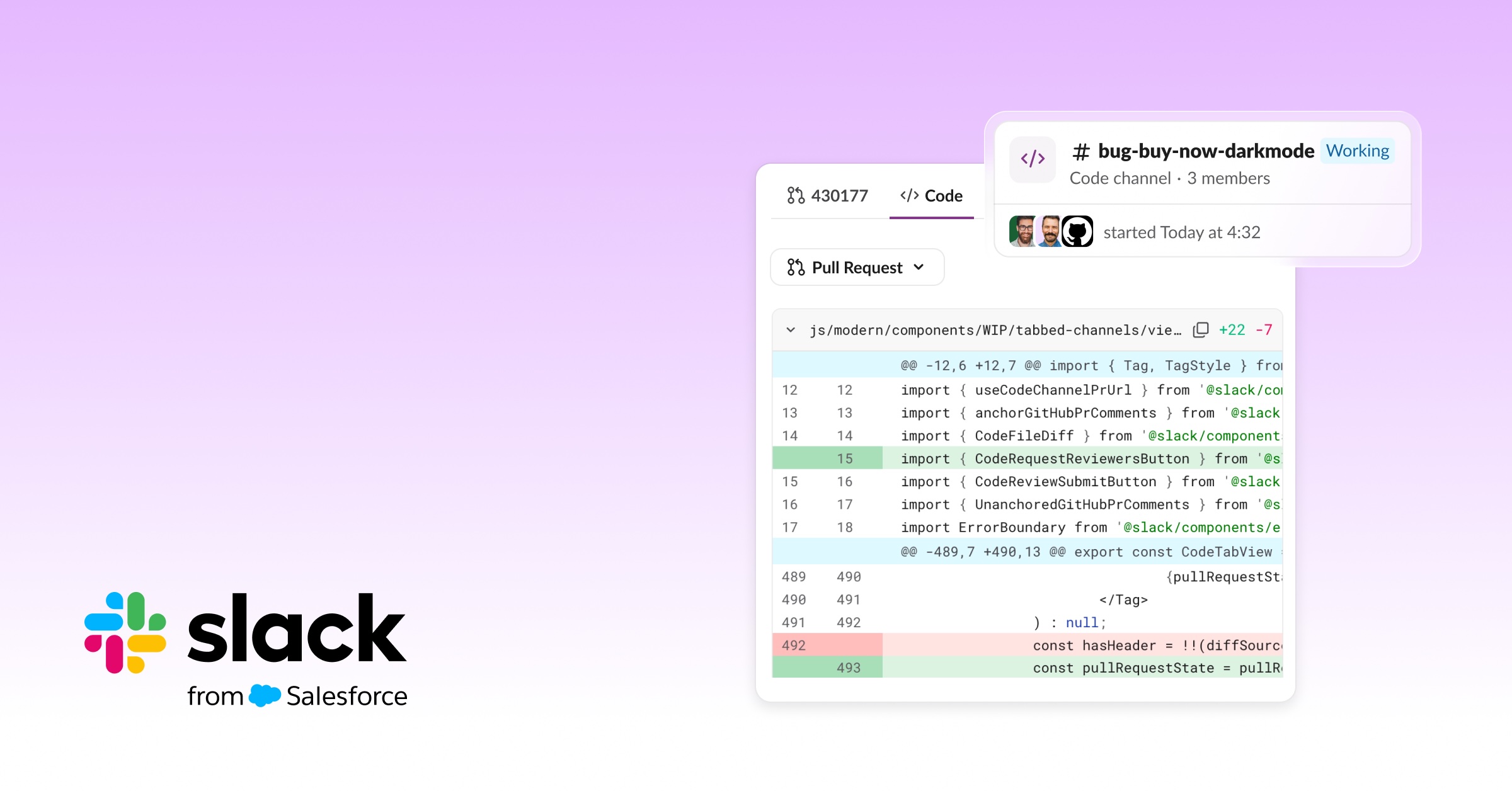
Code channels are what make this multiplayer AI concept work, providing a dedicated space that an agent can open for a task, with the right people, context, and plan already in it. Teammates can watch the agent work, add context, and approve changes without leaving Slack. GitHub Copilot is proving this works at scale: It opens a dedicated code channel on 30% of its agent sessions. That means nearly a third of the time, the work is big enough for a task-sized workspace where the team can go from idea to done.
“We’re building the GitHub Copilot interactions you’re already familiar with into the same space you use for all of your other work. Being able to see what the agent has worked on and steer it right from inside Slack is a game changer.”
“We’re building the GitHub Copilot interactions you’re already familiar with into the same space you use for all of your other work. Being able to see what the agent has worked on and steer it right from inside Slack is a game changer.”
Once developers saw this in action, they asked the same question: “Can I bring my own agent?” More than 150 customers and partners asked for access to build code channel experiences for their own agents, but only a handful of our partners had the keys to delivering this experience.
Today, that changes. The Slack Code API is now generally available, so any developer can have their agent start a code channel, adding the relevant people and files, posting updates as it works, and archiving the channel when the work is done. Whether you’re building a homegrown agent for your enterprise or a new agent for the Slack Marketplace, you get to take advantage of the same primitives our launch partners use.
BYOA: Bring your own agents
Historically, bringing coding agents into Slack has meant layers of challenges. Developers had to think about API calls and how to use standard components like channel threads or DMs. But when an agent needs to attach a massive log file, propose a 50-line code diff, or run a multi-step execution plan, a standard thread can get cramped fast. And there was no way for those developers to deliver a clean multiplayer experience to their customers. Meanwhile, enterprise organizations with strict security requirements wanted to tap into the multiplayer way of working but couldn’t use off-the-shelf third-party agents at all.
The Slack Code API fixes that, unlocking:
- Agents that work in the open. Code channels are a new primitive built for agents, and your agent has the ability to create one on its own. When a request is big enough to deserve its own space, the agent creates a channel from the conversation, with the right people, context, and plan already in it.
- Agents your whole team can steer. Flexible APIs let your agent show its work and add bookmarks, so a coworker can step into a task someone else started and see the full execution history. The agent and the teammate both have the context they need to get the work done.
- Agents your enterprise can trust. Your users can see exactly what the agent is doing and who approved it. Message compliance is built in, with the workspace controls and data boundaries admins already trust.
You decide what your agent does and how it shows its work, and Slack handles the rest of the interface. Use the APIs to show code diffs, HTML previews, and thinking steps, so you can skip building your own UI screens and review steps.
The APIs are easy to use, scalable, and flexible enough to fit your agent’s needs. You ship sooner, and your agent shows up where people already work. Slack stays the agent-neutral hub for your users, so you can swap agents or models later and your team keeps working in the same place.
“The Slack Code API felt like it was designed with AI agents in mind, and works for our unique needs. The flexibility, easy set up, and rich functionality made the decision to build on Slack easy.”
“The Slack Code API felt like it was designed with AI agents in mind, and works for our unique needs. The flexibility, easy set up, and rich functionality made the decision to build on Slack easy.”
From idea to merged PR, without leaving Slack
Slack is the natural place to deploy third-party agents, so we’re giving you the tools to manage the full lifecycle of your code, all in one place. When complex work kicks off, your agent brings teammates and code into a shared space where anyone can jump in, steer the task, contribute context, and see real-time progress. No more isolated work. And, available soon, the latest improvements to the Pull Request experience in Slack Code extend this multiplayer philosophy all the way to deployment.
If your tool stack includes GitHub, you’ll be able to request reviews from people right in Slack and share the full context of your agent’s work with them. Comments sync bi-directionally between Slack and GitHub, so nothing gets lost between the two platforms. Once a PR is approved and tests pass, you’ll get a prompt to merge it directly from the code channel.
How it works
You can add the Slack Code API to your agent manifest, and set the properties of a code channel, like name, commands, views, and more. When a teammate mentions the agent in a channel or a DM, if the request needs more than a quick reply, the agent creates a dedicated code channel and adds bookmarks and artifacts so people can follow along. As the work progresses, it posts updates and status, and it can archive the channel when it’s finished.
And the experience has built-in governance. Your agent inherits the permissions and admin controls of the channel it works in. There’s no separate access model for you to build, and IT has nothing new to configure. For IT leaders, that means agent work happens in the open, a person can approve each high-stakes change, and everything stays searchable after the work is done. The record of what the agent did stays useful long after the channel is archived.
Once your agents are at work, your teams will find them all in the enhanced Agents & Tools tab, available soon. They’ll get a bird’s-eye view of all agent conversations and code channels, delivering:
- More context: See your code channels with clear status, channel membership, and recent context all in one place, to easily manage your agent chats across Slack.
- More insights: See what your teammates are working on by browsing public code channels to get inspiration and learn from each other.
Agent work becomes teamwork
Picture a production alert at 2:00 a.m. Your custom observability agent picks it up, opens a code channel, pulls in the relevant logs, and starts working on a fix.
The on-call engineer wakes up, reads along, and spots that the agent is looking at the wrong service. They redirect the agent mid-task. A teammate who knows that specific service best jumps in with the missing context. By the time everyone is fully awake, there’s a proposed fix, a clear record of how the team got there, and a decision waiting for the team lead to weigh in on.
Bug triage works the exact same way. So does a DevOps task like a config change or a rollback. In each case, the people with the most context shape the outcome, instead of just the single person who happened to kick off the run. The whole team follows the work, adds context, and decides together. Because the work stays in Slack, knowledge compounds across the team instead of disappearing into a private, stateless session.
Get started
It’s time to move beyond single-player AI. The Slack Code API is generally available today on all Slack plans, so you can start building right away.
- Build your own: Read the Slack Code API docs, add the API to your agent manifest, and have your agent start its first code channel.
- Publish to the Marketplace: Building for customers? Submit your agent to the Slack Marketplace so teams can find and install it.
- Try an agent that already works with Slack Code: Browse Slack Code agents in the Slack Marketplace, including Claude, Devin, GitHub Copilot, and Vercel, and see what a code channel looks like before you build.
Bring your agent, and invite your team into the channel today.