Since the rise of AI agents, the number of PRs has skyrocketed and the pressure on CI has never been greater. Nx Agents is the counterforce that keeps CI from becoming the bottleneck: tasks distribute automatically, and large e2e tests get split up and rebalanced, which improves both speed and compute efficiency.
But when hundreds of tasks across hundreds of projects run on CI, it gets hard to keep track of which tasks were slow, which machine ran them, and what was blocking them.
That's why we're introducing the timeline view.
The timeline view
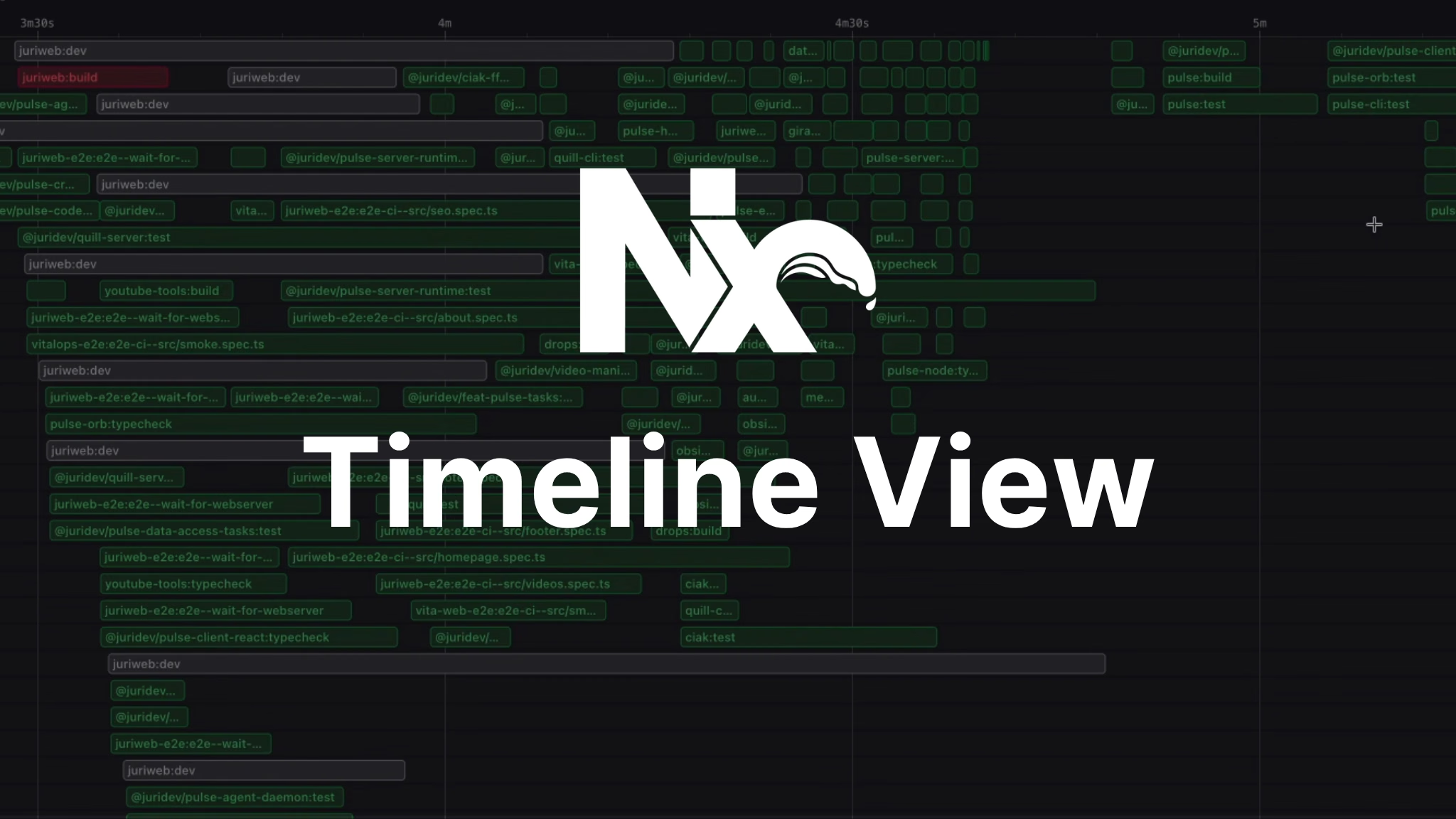
The timeline view shows the entire run and all its tasks at a glance.
Here is a run from my own monorepo:
You don't need to read a single task name to see the problem. There is a chunk of work at the start, a second chunk much later, and a long stretch in the middle where most of the machines have nothing to do. That shape came from my CI script: it ran nx affected once for one subset of projects and then again for another subset, so the second group could not start until the first had fully drained.
Refactoring this setup already leads to a much more optimized run:
The work is now spread evenly across the run. There are still a few tasks trailing at the end, which is the next thing worth looking into.
See failed tasks and their attempts
Failed tasks are drawn in red and keep their position on the timeline, so you can see when in the run they failed and what else was happening at the time. Clicking one opens a drawer with the task metadata, every attempt, and the terminal output of each attempt.
In this case the first attempt of a Playwright spec hit a worker teardown timeout and the retry passed. Both attempts are there and easy to trace, each with its own output.
Inspecting historical runs
Whenever a task fails (but not only) you can use the History tab to inspect previous runs.
It'll give you an idea whether this was a one-off failure or a repetitive thing. You can also see whether a task got slower and whether it started touching files it never touched before.
Why a task ran late
The trailing tasks at the end of a run are usually the interesting ones. Here is a balanced run, with the group of tasks at the very end circled in red:
The drawer has a Dependencies tab listing the upstream tasks a task was waiting on and the downstream tasks waiting on it.
That usually explains the late scheduling straight away. Sometimes the dependency chain is legitimate and there is nothing to do about it. Sometimes it points at a project that everything else depends on, and moving that earlier in the graph shortens the whole pipeline.
Filter specific tasks
Switching from All tasks to Per agent turns each agent into its own lane. Combined with the search box, this is a good way to see how a single project's work got spread out. Here I filtered down to one e2e project in my repo:
Each bar is one spec file distributed across various Nx Agents. This is the Atomizer doing its job.
View Nx Agent utilization data
Clicking an agent rather than a task opens a drawer for the machine itself: the workflow steps it ran with their durations, plus CPU and memory charts for its lifetime.
For the full breakdown there is still the resource usage view, which we wrote about recently. It goes down to individual processes and is reachable directly from the agent drawer.
Watching a run in progress
The timeline renders live. Open a pipeline execution while it is still running and tasks appear as they get scheduled.
Try it
If you're already on Nx Cloud, check out the timeline view on your own runs. We're going to make it the default soon.
Alternatively, go visit the Nx Cloud runs of the Nx GitHub repo. Identify a run and click the "Timeline View" in the sidebar.
Try Nx Cloud for Free
If you are looking at this for a larger organization and want to talk through what it would take, you can get in touch with us.
Learn more
- Distribute task execution with Nx Agents
- Split e2e tasks with the Atomizer
- Resource usage
- Nx Community Discord
- Nx YouTube Channel