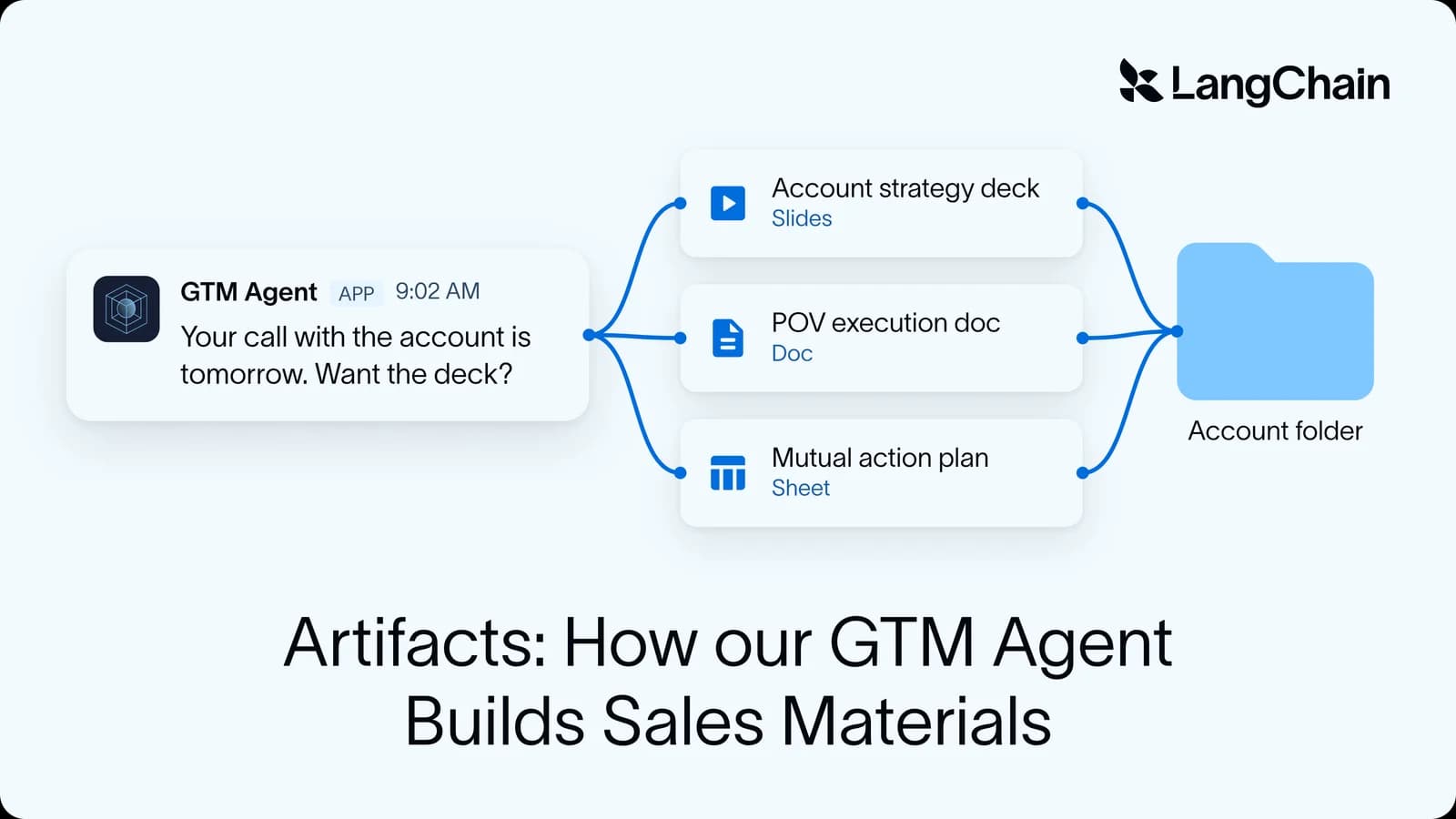
Over the last 12 weeks, our internal GTM Agent has saved LangChain's sales reps thousands of hours across its workflows. In that time, it generated 1,540 sales artifacts, which reps used to build by hand, one account at a time. These artifacts include customized account plans, proof-of-value documents, proposal decks, and onboarding plans.
A powerful model can speed up artifact creation, one of the biggest time sinks in any deal, but can only take automation so far. What makes the biggest difference is everything built around the model:
- Taste from our sales leadership
- Context from real customer calls
- Business logic, like company sales stages
- Concrete requirements for moving through each stage
This post walks through how we used business context to build artifact generation with our GTM agent, and how we shaped it to fit the way LangChain sells.
You can replicate this work on top of the Deep Agents harness. The primitives it depends on (a sandbox, skills, memory, and scheduled runs) are available in our managed version, Managed Deep Agents, so a team building something similar can get straight to capturing how its business runs.
Key results
- 47% of deals with a sent artifact moved to a later stage, compared with 16% of matched deals without one
- 46% of artifacts were followed by a customer call within 14 days
- Over 100 artifacts / week generated over the last 12 weeks
- Artifacts that got sent to customers accounted for 337 hours of saved rep time
Why we added artifact generation to GTM agent
Earlier this year we wrote about how we built LangChain’s GTM Agent, which now runs a wide range of our sales and marketing workflows. It researches new leads and drafts personalized outreach for reps to approve in Slack, and every week it surfaces account signals like expansion opportunities and deal risks. Since reps were already using it every day, it was the natural place to take on one of the most time-consuming parts of their job: building sales collateral.
That work was overdue for a fix. Inconsistent versions of the same document were showing up across the org. Account executives built proposal decks by pulling usage data into a chat assistant and assembling the deck themselves. The same work got repeated on every deal, and it looked different every time. We needed a way to standardize our hard-won lessons on what works without slowing anyone down.
We were solving for three things at once:
- Keep a high bar for everything a customer sees
- Stop repeating work that every rep was doing by hand
- Follow a consistent process on every deal
The third goal was the hardest to get right. Every stage of a deal has gates, or things that must happen before the deal can move forward, like naming an economic buyer or agreeing on success criteria. We track which stage every deal is in and which artifact helps clear each gate. But when this work was all manual, a skipped step usually came to light in a pipeline review, weeks after the rep could have asked the customer. Now that artifacts are filed through the GTM Agent, it can spot a missing one while the deal is still active.
This workflow also gives our sales leaders a natural place to weigh in. They can tell us what is working best across the org, and we can use that as guidance for the agent to scale those best practices to everyone.
Handing our context to the agent
The agent is highly customized to how we run our business. The GTM Agent holds the context for how LangChain runs a deal at every step, including the template for every document, which follow-up questions will come up, and the right source for every piece of information. You can build the same system with our tools by customizing the context of your agent.
Most of what makes the agent useful is context the model wouldn't have on its own:
- Process knowledge: Which artifacts we need, when we need them, and what good looks like gives the agent a backbone to work from
- Customer context: The agent reads the Salesforce record, product usage, call transcripts, risks, decision criteria, and next steps. This helps ground our salespeople and lets them scale to handle more deals than a rep without AI assistance
- Voice and brand: LangChain's brand assets and style guide make sure everything that comes out looks polished and consistent
Most of our effort goes into providing the agent with context. We spend very little time on prompts that compensate for the model and instead focus on capturing how our business runs. Each integration was refined over time by our reps using the product, and tuned to the preferences of our power users.
Building this system required assembling a handful of primitives:
- Skills and instructions that hold our sales process, templates, and stage rules, versioned separately from the code
- A sandbox with Office tools installed, so the agent can build a file, render it, look at the result, and fix it
- A Slack interface, where reps already ask for help
- Scheduled runs that power the pre-meeting briefs and make the agent proactive
- Memory that carries context across a deal, not just a single conversation
- Tracing in LangSmith, which shows every render, tool call, and review step, and is how we diagnosed the latency problem described below
Any team building a similar agent will need all of these. If you’re starting today, Managed Deep Agents provides them as building blocks, including sandbox orchestration with no extra steps, so you can go straight to the part that matters: your context.
Brand as code
The artifacts go out under our brand or a rep’s name, so GTM Agent works from the same brand rules all teams use. Our brand kit (logos, color and type tokens, fonts, and style/taste guidelines) is built into the sandbox image, so brand changes go through a reviewed pull request. After each render, the agent looks at its own pages and checks them against that guidance. You can learn more about this self-review loop here.
Self-review raises quality, but without a stopping rule, it also raises latency. Early versions of artifact generation were painfully slow. We found cases of the agent re-reviewing pages that were already fine, sometimes dozens of times. To fix this, we added a simple rule to ship once one review finds no real defect, which cut cost and wait time. On a one-pager, the rule took a run from 18 minutes down to 7 minutes.
Artifacts across the sales cycle
GTM Agent has to cover a deal end to end, which calls for a variety of different artifacts. We map artifacts to five stages of the sales cycle, each with its own standard documents.
How an artifact gets generated
An artifact is a collaboration between the agent and the rep. The agent fills a template with as much as it can reasonably retrieve, then hands off a document with flags on anything a human still needs to fill in. Every artifact follows the same path:
- Trigger: A rep asks for an artifact in Slack, or the agent offers the artifact during meeting prep
- Read the account: The agent resolves the account in Salesforce and reads its Drive folder before building anything
- Capture missing inputs: If the artifact needs context the account doesn't have, like success criteria or an economic buyer, the agent asks the rep first
- Fetch the template: A tool copies the leadership-owned template into the agent's sandbox
- Build: The agent fills the template in the sandbox with python-pptx, using the brand kit baked into the sandbox image
- Render and review: LibreOffice converts the file to PDF, the pages are rasterized, and the agent reads the images back to check the layout. It fixes what it finds and renders again
- File and hand off: The finished file is converted to native Google Slides, Docs, or Sheets in the account folder, and the rep gets a PDF preview and a link in Slack, with flags on whatever still needs a human edit
Each account has one Google Drive folder that the rep and the agent share. Reps add call notes and edit what the agent built, and the agent reads all of it before building the next artifact. Leadership’s templates live in the same drive. This means when a leader updates one, every rep gets the new version.
Building a proactive agent
Most reps wouldn’t ask for an artifact they didn’t know existed, so the agent had to offer help at the right moment. We drove adoption through proactive agent capabilities.
Pre-meeting briefs: The agent watches reps' calendars and sends a short brief before customer calls. Because we know where the deal is in the sales cycle, the agent can spot a meeting for a stage that doesn't have the right artifacts filed yet, and tell the rep which one to bring.
Tasks: We can assign a task to the account executive on a deal to prepare the right artifact, whether the GTM Agent builds it or they make it by hand. This keeps deals moving through the stages with the artifacts our leaders expect, in the order they expect them.
All of this comes together in our artifact hub, a web interface that shows every deal, where it sits in the sales cycle, which artifacts exist, and which should come next.
The result is that the agent has become a distribution channel for enablement and for process at the same time. The scorecard described below tells us whether that’s working.
Learning loops
Often, human taste is the truest signal of whether your agent is doing its job. If we had only checked the artifacts against the agent's own instructions, using other agents or our own judgment, we'd never have known whether those instructions captured the business process correctly or left things out.
So we kept people in the loop constantly. Our main sources of truth were:
- Weekly meetings with the leaders of each org that owns an artifact
- Weekly presentations and office hours for the whole sales org
- Slack channels where we gathered regular feedback from every rep using the artifacts
Each artifact had an owner whose taste was a constant input to the design. We'd record long conversations going through every minute detail with an owner, every checkbox, every button, and every word on the page, then hand that transcript straight to our coding agents to scope improvements. That let us make fast improvements across a large suite of artifacts and ship a useful artifact generation agent.
Human feedback tells us whether an artifact meets our standards, but not whether reps are actually using it. To quantify the agent’s impact, we track what happens to every generated artifact and watch those numbers as we change the agent.
- Volume: How many artifacts is the agent generating?
- Utilization: How many of them are shared with someone outside the company?
- Leverage: How many hours of rep time does that save, relative to what it costs to run?
- Outcomes: How much pipeline do those artifacts touch?
We use the same framework for every job the GTM Agent does, and it keeps us honest about how well the system is performing. A job can look busy on volume and still go mostly unused. Closing that loop, from what the agent produces to what actually makes it into a deal and why the rest doesn’t, is a big part of what we’re building toward in the next version of the GTM Agent. We’ll go deeper on how the GTM Agent measures outcomes in an upcoming post.
Context is the moat
We’re already seeing measurable impact across 100+ weekly generated artifacts created by GTM Agent. It’s a clear example of how much more useful an agent becomes once it knows how your business runs, and how much of that comes from the context around the model rather than the model itself.
To build your own, get started today with Managed Deep Agents. For another example of agents in our GTM stack, read about our design agent.