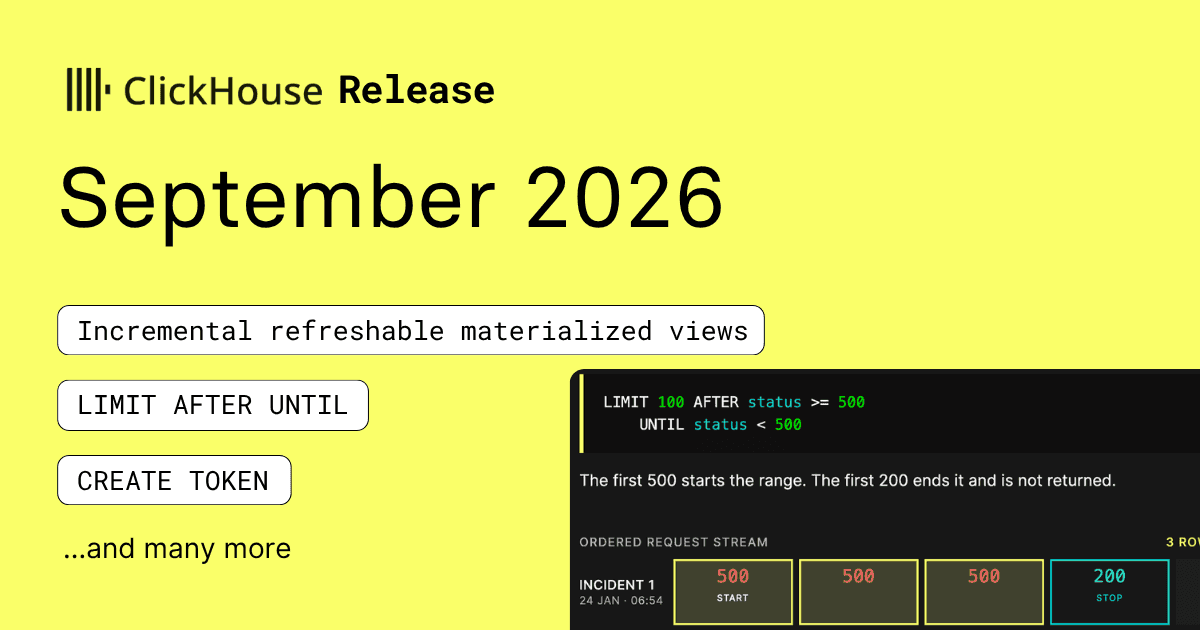
September has rolled around, and ClickHouse 26.9 has arrived with another packed collection of new features.
The ClickHouse 26.9 release contains 56 new features 🍁 135 performance optimizations 🍎 and 464 bug fixes 🐿️.
This release brings conditional boundaries for LIMIT, incremental refreshes for append-only materialized views, and disk spilling for high-cardinality DISTINCT queries.
We’ll also look at time-limited access tokens, faster min, max, and count queries, expanded PromQL support, and several quality-of-life improvements.
A special welcome to all the new contributors in 26.9! The growth of ClickHouse's community is humbling, and we are always grateful for the contributions that have made ClickHouse so popular.
Below are the names of the new contributors:
Aaron Harlap, Actuele AI, Alex Francoeur, Alex Prabhat Bara, AlexF, Anand Kumar Shaw, Anton Kovalenko, Aparajita Pandey, Brandon Pereira, Claude, Denys Stetsenko, Dmitrii Bezrukov, Evandro Leopoldino Gonçalves, Friedrich ten Hagen, George Viamontes, Gülçin Yıldırım Jelinek, Hamza Wasim, Hank Hoffmeier, Héctor Pablos, Itamar Tempelhof, Ivan N. Taranov, Ivan Tkachev, Ivan Tkatchev, Jithin Zachariah, Jordan Bertasso, Jords, Joshua, Juanjo, Kelly Toole, Lucas, Luis Neves, Luís Lizardo, Marat Dulin, Mike Shi, Navneet Kumar, Pablo Francisco Pérez Hidalgo, Paul Annesley, Philip Li, Pratham Nayak, Pratheesh, SamWolfberg, Sankalp Thakur, Sebastian Vercruyssse, Serhiy Bzhezytskyy, Takayuki Enomoto, Thien Phan, Vadim Ilves, XanderYoon, Yongqiang Tian, alexprabhat99, anand-tradesea, aparajita, bakhtiiartashbolotov, cuishuang, jithinzac, kasimtj, key-arg, kyungryun, linsen, maederm, mariahlynnenagy, miao tang, mosya415, ngagejason, sakshichitnis27, sleepingeight, statxc, t, tars, zhanglangning
Hint: if you’re curious how we generate this list… here.
You can also view the slides from the presentation.
As of ClickHouse 26.9, you can use Time values as offsets when adding to or subtracting from DateTime values. The result retains the DateTime value’s timezone.
Let’s have a look at some simple examples:
If the calculation falls outside the range supported by the result type, date_time_overflow_behavior determines whether ClickHouse throws an exception, clamps the result to the nearest boundary, or leaves the overflow unchecked.
The maximum value that we can store in DateTime is 2106-02-07 06:28:15. Let’s see what happens if we add one second to that time:
It’s overflowed back to the minimum value of DateTime, which is expected as the default value of date_time_overflow_behavior is ignore. But, maybe, we prefer to get an exception if the value overflows:
Or, we can use saturate, in which case it will return the maximum value for that type:
Finally, let’s run the timezone of the initial values and the calculated values:
ClickHouse 26.9 expands PromQL support with more functions, additional Prometheus HTTP API endpoints, and direct SELECT queries against TimeSeries tables.
PromQL and the TimeSeries table engine are now available in private preview on ClickHouse Cloud, letting you store metrics in ClickHouse and query them from ClickStack, Grafana, clickhouse-client, or SQL.
You can learn more in the Introducing ClickHouse's new TimeSeries engine blog post.
ClickHouse 26.9 introduces CREATE TOKEN, which lets a user create a time-limited credential for applications, scripts, CI jobs, and agents without exposing or replacing their main password.
The token can be restricted to a subset of a user’s existing privileges, reducing the impact of a leaked credential.
Let’s see how it works. First, we’ll create a small table:
Next, let’s create a user called alexey:
alexey has SELECT and INSERT power on this table, and can also create a token for himself.
Next, we’ll connect as alexey and create a token that lasts for 30 days and can only run SELECT queries against ourTable:
The statement returns the generated token and its expiry:
ClickHouse displays the token only once, so make sure you copy it down.
We can then connect with the token and run a SELECT query:
That works fine, just as we expected. But what about if we try to insert into the table using our token?
That doesn’t work as alexey only has SELECT access when authenticated using the token.
A token never grants more privileges than the user already has, and it stops working when it expires or if the user is removed. If you don’t provide a VALID UNTIL or VALID FOR, the default lifetime is 30 minutes.
ClickHouse 26.9 extends LIMIT with boundary conditions that start and stop output based on values in the ordered result stream, a capability that, to our knowledge, is not currently available in any other database.
- AFTER includes the row that matches its condition.
- UNTIL stops before its matching row
- You can add ALL to apply the boundary each time the condition matches.
Try the different combinations below to see which rows each query returns.
This functionality is particularly useful for analyzing log data, so let’s explore an Nginx dataset used in the Compressing nginx logs 170x with column storage blog post.
First, let’s create a table:
Next, we’ll ingest the data:
Now, let’s get a quick overview of the data.
The following query starts at the first `5xx` response and returns five requests. AFTER is inclusive, so the request that satisfies the condition is included.
UNTIL is exclusive. This query starts at the first server error and stops before the first response with a status below 500:
An AFTER boundary is applied only once, unless we use ALL, which reapplies it whenever another row matches. This query returns every server error and the next two requests after it:
There are three separate incidents in this period, on rows 2, 7, and 12. Within each burst, every 500 responses reapplies the three-row boundary.
The consecutive failures therefore, extend the active window until two consecutive non-5xx requests occur after the final failure. In this example, both are successful 200 responses.
ALL can also reapply the starting boundary while UNTIL terminates each range:
Unlike the previous query, this output excludes the successful requests after each failure burst. UNTIL closes the range at the first non-5xx response, while ALL continues scanning for the next burst.
ClickHouse 26.9 adds APPEND INCREMENTAL to refreshable materialized views. Instead of scanning the entire source table on every refresh, ClickHouse processes only the rows committed since the previous refresh.
This can be used to incrementally copy append-only data into another ClickHouse table or replicate an event stream from a MergeTree table into an Iceberg data lake.
Let’s have a look at how to use this feature with Iceberg.
We’ll create an append-only stream of order events in ClickHouse and periodically copy them into an Iceberg table, demonstrating that each refresh processes only newly committed rows.
First, we’ll create our ClickHouse table:
The block-number and block-offset columns provide the cursor that ClickHouse uses to identify rows committed after the previous refresh.
Next, we’ll enable Iceberg inserts and create an Iceberg table on my local filesystem:
The lake_order_events directory contains the Iceberg metadata, manifests, and Parquet data files.
Finally, we’ll create a materialized view that will copy the newly committed events to Iceberg every hour:
Time to ingest some data!
These events will be copied across to the Iceberg table when the materialized view triggers each hour, but to speed things up, we’ll trigger a refresh:
And, if we query the Iceberg table:
All the records have made their way across. Next, let’s add some more rows to simulate changes to those orders:
We’ll manually refresh the materialized view again and then query the Iceberg table again:
We can see the three new events are there.
For an Iceberg target, ClickHouse stores the incremental cursor in the snapshot summary. The cursor and newly appended data are therefore committed as part of the same Iceberg snapshot. We can query system.iceberg_history to see this:
The first refresh added four records, while the second added only the three new events, taking the total from four to seven. We can also see that both snapshots contain a refresh cursor.
ClickHouse stores this cursor in the Iceberg snapshot alongside the newly appended data. If ClickHouse restarts, the next refresh resumes from that position instead of replaying the same events. The cursor only advances when the append succeeds, so it always stays in sync with the data.
This approach works best with append-only data, such as events, logs, audit records, and other immutable facts.
ClickHouse stores minimum and maximum values for numeric-like columns in each data part. As of 26.9, it can use those statistics to answer min, max, and count queries without reading the underlying column data.
Let’s try it with the Nginx logs table that we used earlier. We’ll use response_bytes rather than timestamp. Since timestamp is the first column in the table’s sorting key, ClickHouse can already answer that query from existing metadata.
We'll prefix our query with EXPLAIN so that we can see the query plan:
If we look at the last line, we can see that instead of reading the response_bytes column, ClickHouse prepares the result from its column statistics.
We can disable this optimization using the setting use_statistics_for_min_max_aggregation, and now ClickHouse has to scan the response_bytes column to compute the result, as shown in the following query:
ClickHouse 26.9 introduces a new system table, system.session_query_ids, which keeps track of all the query ids in the current session in execution order.
We can query that table like this:
The system.query_log table includes a query_id per entry, which means we can now check which queries we just ran, without having to manually specify query ids when querying that table:
ClickHouse 26.9 lets us put limits on how large an individual table can grow, as well as how many tables can be created in a database.
This is useful for multi-tenant, temporary, and demo environments, where we don’t want one workload to consume everything.
Let’s start by creating a table that can contain a maximum of three rows:
We’ll insert three rows:
If we insert one more row, it still succeeds:
The limit is checked against the table’s current size when an INSERT starts. This means the INSERT that takes the table from three to four rows can finish. The next INSERT sees that the table is already over the limit and is rejected:
We can also limit a table by its compressed or uncompressed size using max_table_size_bytes_compressed and max_table_size_bytes_uncompressed.
We can put a limit on the number of tables in a database as well. Let’s create a database that can contain two tables:
We can create the first two tables as usual:
But if we try to create a third table, ClickHouse rejects it:
Conceptually, DISTINCT needs to keep track of the values it has already seen. ClickHouse has several optimizations that reduce this work, but a high-cardinality query may still require maintaining a large in-memory set.
ClickHouse 26.9 can spill this hash set to disk, just like GROUP BY and ORDER BY, instead of allowing it to keep growing until the query runs out of memory.
Let’s see what that looks like by returning all the distinct values in a sequence of 100 million numbers, while using max_memory_usage to limit the query to 150 MB of memory:
It's unable to process the query as there isn't enough memory. We can allow DISTINCT to spill its intermediate state to disk by setting max_bytes_before_external_distinct:
This time, ClickHouse starts writing the DISTINCT data to temporary files when it reaches around 25 MB. The whole query can use up to 150 MB, leaving enough memory to read and merge those files at the end.
There's one more interesting thing to keep in mind when using this feature. Spilling to disk reduces memory usage, but it doesn't remove the need for memory completely. ClickHouse still needs memory for buffers, the query pipeline, and merging those temporary files that it's spilled to disk.
Let's see what happens if we reduce the overall query limit to 100 MB, while keeping the spill to disk threshold at 25 MB:
The data has been spilled successfully, but ClickHouse runs out of memory while reading the temporary files back. We can tell from BufferingFromFileSource that the failure occurred during processing of the spilled files, rather than during the construction of the original in-memory set.
To fix that, we need to increase max_memory_usage back to 150MB.
ClickHouse automatically enables external DISTINCT when max_bytes_ratio_before_external_distinct is set to 0.5. This means that DISTINCT starts spilling when it reaches half of the memory available.
ClickHouse automatically enables external DISTINCT when max_bytes_ratio_before_external_distinct is set to 0.5. This means that DISTINCT starts spilling when it reaches half of the memory available.
ClickHouse 26.9 adds bracket syntax for accessing paths in a JSON value. This makes it easier to write nested paths work with keys that contain characters such as dots or spaces.
Let's have a look at how this works with help from an in-memory example: