Key takeways:
- Short answer: True, self-replicating viruses are extremely rare on a normal (non‑jailbroken) iPhone.
- Why: Apple’s closed ecosystem and sandboxing — iOS is designed to run apps in their own isolated environments, significantly reducing the ability of viruses to spread.
- Real threats: Phishing, scam texts, fake pop-ups, malicious profiles, malware, and spyware — not viruses.
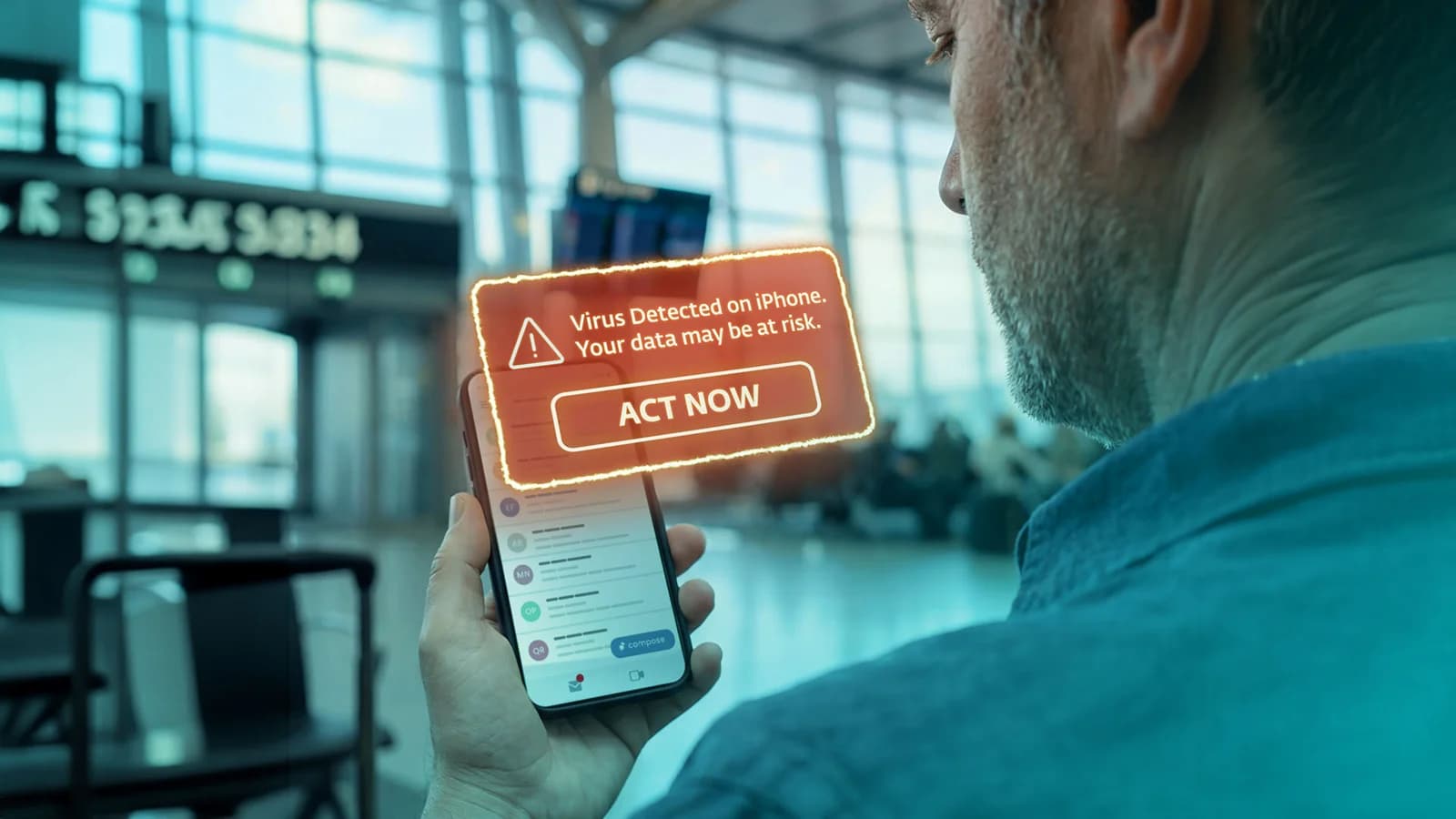
- Pop-up warning: “Virus detected” alerts on iPhones are almost always fake.
- Virus scanning myth: You can’t (and don’t need to) run traditional antivirus scans on iOS. Overall device checks are still recommended.
- What helps: Awareness, safe browsing, strong device settings, and modern mobile security practices.
It usually starts with a jolt of panic: a flashing pop-up warning you about a virus, a phone suddenly feeling slow, or a suspicious message claiming your Apple ID is compromised. It’s easy to jump to the worst conclusion — my iPhone has a virus.
Take a breath. In almost every case, that assumption is wrong.
For the most part, the real issue isn’t whether your iPhone has a traditional virus. It’s about whether something or someone is trying to trick you into thinking it does. Understanding the real threats is key to staying calm and safe in today’s mobile threat landscape.
Can iPhones get viruses? The short answer
True self-replicating viruses essentially don’t exist on a standard, non-jailbroken iPhone due to Apple’s built-in security protections. However, that doesn’t mean iPhones are immune to threats. Users can still encounter scams, phishing, malicious apps, and other forms of attack that don’t rely on traditional self-replicating viruses.
Virus vs. malware A virus is a specific type of malware that attaches itself to files or programs and spreads when those files are executed. Malware is the broader term for any malicious software, including viruses, worms, trojans, ransomware, spyware, and more. Why “antivirus” became “anti-malware”: Traditional antivirus solutions were designed mainly to detect viruses. As cyber threats evolved beyond viruses, security products expanded their capabilities. The term “anti-malware” better reflects protection against the full range of modern threats, not just viruses.
Virus vs. malware
A virus is a specific type of malware that attaches itself to files or programs and spreads when those files are executed.
Malware is the broader term for any malicious software, including viruses, worms, trojans, ransomware, spyware, and more.
Why “antivirus” became “anti-malware”:
Traditional antivirus solutions were designed mainly to detect viruses. As cyber threats evolved beyond viruses, security products expanded their capabilities. The term “anti-malware” better reflects protection against the full range of modern threats, not just viruses.
Why iPhones rarely get viruses (and why that’s not the whole story)
Apple’s iOS ecosystem is designed to make traditional malware, especially self-spreading viruses, extremely difficult to deploy.
Sandboxing
Every app on your iPhone runs in its own controlled environment, isolated from other apps and from the core system. This means one compromised app can’t easily infect anything else.
App Store review and code signing
Apps must pass Apple’s review process and be digitally signed before they can run. This filters out a huge amount of malicious software before it ever reaches users.
Fast, near-universal updates
Unlike many other platforms, iOS updates are adopted quickly across devices. Security vulnerabilities get patched fast, reducing the window of opportunity for attackers.
The catch
All of this works brilliantly … for stopping viruses and classic malware. But modern attackers don’t rely on self-replicating viruses when targeting iOS. Instead, they rely on something far more effective: you. Social engineering, deception, and psychological pressure are now the primary attack tools, and they bypass technical defenses entirely.
The threats that DO reach iPhones in 2026
Phishing and scam texts (smishing)
The most common threat iPhone users face today isn’t viruses and malware, it’s deception. Scammers send messagespretending to be delivery companies, banks, or Apple itself, urging you to click a link or enter your credentials. These attacks don’t require anything to be installed. If you hand over your information, the damage is done. No virus needed.
Fake “virus detected” pop-ups
If you’ve ever seen a message saying “Your iPhone is infected,” you’ve likely encountered scareware.
These pop-ups are designed to panic you into tapping a link, installing something, or paying for a “fix.” They typically come from aggressive advertisements on websites, not your device itself.
Important fact: iOS does not generate virus warnings in the browser. If you see one, it’s fake.
Malicious configuration profiles
Configuration profiles, often used legitimately by workplaces with mobile device management (MDM), can be abused to change device behavior, redirect traffic, or install unwanted controls.
Description: Demonstration of malicious cryptocurrency wallet being installed via configuration profile
Sketchy apps
Apps installed outside normal, trusted flows (or disguised as legitimate tools) can introduce risk.
In 2024, ESET researchers discovered a novel attack vector while studying a phishing campaign distributing malicious apps from a third-party website without the user having to allow third-party app installation. This was possible because attackers used progressive web apps (PWAs), which are essentially websites packed to feel like stand-alone applications. These apps mimicked legitimate banking apps to steal credentials.
The attack scenario is simple: Attackers approach their targets via phone calls or SMS messages claiming their banking app is outdated and needs to be replaced, or they spread social media ads promoting benefits for users who “download the update below.”
Image 1 PWA phishing flow
While visiting the webpage mimicking the relevant bank, victims were asked to install a “new version” of the banking application that was, in fact a malicious PWA, bypassing one of the strongest layers of iPhone defense: App Store review.
Unsafe public Wi-Fi
Free Wi-Fi is convenient but comes with risks. On unsecured networks, attackers can use a technique known as a man-in-the-middle (MITM) attack to intercept unencrypted traffic between two parties, stealing information and/or distributing malware. Poor network security could allow attackers to secretly eavesdrop on some of the users’ online activities (packet sniffing).
In public spaces, cybercriminals can also create fake hotspots mimicking legitimate Wi-Fi. This is called an “evil twin” attack. While modern encryption helps, not all activity is protected, and users can still be redirected to malicious pages designed to steal data.
Avoid using automatic reconnection to known public Wi-Fi.
AI-crafted scams (2026)
A newer, fast-growing threat is the rise of AI-powered social engineering. Attackers now use AI to generate highly convincing deepfakes, phishing messages, and copycats of trusted brands to appear credible when initiating the above-mentioned attacks. This lowers the barrier to launching effective attacks at scale.
The result: scams that are harder to spot and easier to fall for.
Description: ESET’s Ondrej Kubovič uncovers the Nomani AI-powered scam, including deepfake versions of famous personalities making false promises.
Targeted spyware (the rare high end)
At the extreme end of the spectrum lies mercenary spyware, such as Pegasus.
These are highly sophisticated and expensive attacks, often utilizing zero-day vulnerabilities. Typically, they are deployed against specific individuals, including politicians, journalists, activists, or other high-profile targets. For the average user, the risk is extremely low.
Apple provides features like Lockdown Mode for those who may be at risk, adding an extra layer of defense against advanced attacks.
Virus, scam, or hack? How to tell the difference
Short answer: If your iPhone warns you about a “virus”, it’s almost certainly a scam, but real risks like phishing, hacked accounts, or spyware can still affect you in different ways.
“My iPhone says it has a virus” — is it real?
In almost every case, no.
That message is nearly always coming from a website, not your iPhone itself. These scareware pop-ups are designed to rush you into making a mistake — tapping a button, calling a fake support number, or paying for a useless “fix.”
Here’s what to do instead:
- Don’t tap anything on the pop-up (even “close” buttons inside it).
- Don’t call any phone numbers shown.
- Don’t enter payment details.
- Close the browser tab or force-close Safari.
- Go to Settings → Safari → Clear History and Website Data.
Once you do that, the “infection” disappears, because it was never there.
Do iPhones need antivirus scanning? (And why you can’t really “scan” one)
This is where many guides on “how to remove a virus from an iPhone” become misleading. On an iPhone, traditional antivirus scanning isn’t possible in the way people expect. Because of iOS sandboxing, no app, not even a security app for that matter, can inspect other apps or scan the system for viruses and other malware like desktop antivirus tools do.
So when you see claims about “virus scanning” on iOS, it’s important to understand the limitation: They can’t actually scan your entire device for infections.
But that doesn’t mean security apps are useless. Quite the opposite. What helps is protection aligned with real threats:
- Web and link protection to block phishing pages before they load
- Connection security to reduce risk on unsafe networks
- Security checkups that highlight risky settings or exposures
In other words, the goal isn’t to hunt for nonexistent viruses, it’s to prevent the actual attacks iPhones face today.
How to keep your iPhone secure (the checklist that actually matters)
Most iPhone security comes down to a few solid habits:
Keep iOS and apps updated
Turn on automatic updates so security fixes arrive as soon as they’re available.
Stick to trusted installs
Don’t jailbreak your device. Install apps only from the App Store, and avoid unknown configuration profiles.
Treat unexpected messages with caution
Whether it’s a text, email, or pop-up, assume it’s suspicious until proven otherwise. Verify it through official channels, not links.
Use strong, unique passwords
Protect your Apple ID with a unique password, and enable 2FA.
Be careful on public Wi-Fi
Avoid sensitive actions on open networks, and use a VPN to encrypt the data stream.
Use Lockdown Mode if you’re high-risk
If you’re a journalist, activist, or executive handling sensitive data, Apple’s Lockdown Mode adds extra protection against advanced threats while significantly reducing device functionality.
Where ESET Mobile Security for iOS fits in
By now, the pattern should be clear: The biggest risks to your iPhone aren’t hidden “viruses” but trick-based attacks, unsafe connections, and weak settings.
That’s exactly where ESET Mobile Security for iOS focuses — not on false promises about virus scans, but on defense against threats that actually exist. ESET Mobile Security for iOS comes in both free and premium versions for additional protection.
Here’s how its key features map directly to those risks:
Worried about a suspicious link in a text or email? (Phishing/smishing)
Link Checker (Free) lets you examine any URL against ESET’s continually updated database of malicious links before you tap it. This way, you can verify delivery texts, bank alerts, or Apple ID messages safely without clicking on anything.
Want a quick security check — without the antivirus myth?
Device Scan (Free) gives you a one-tap security posture overview. It checks your setup for potential weaknesses. It’s not looking for viruses (because apps can’t do a standard systemwide antivirus scan), but it helps you spot gaps that matter:
- Correctly configured features and settings
- Issues or misconfigurations that need attention
- Missing permissions impacting protection
- Nonfunctional or improperly configured features
- Subscription-related problems
- Practical recommendations to improve security
- Opportunities to enable inactive protection features
- Ignored issues
Not sure if your settings are actually protecting you?
Device Settings Check (Free) reviews key protections, like your screen lock, notification handling, and available storage, for future updates. It ties directly into the prevention checklist, helping you fix small issues before they become real risks.
Tired of worrying about fake “virus detected” pages and scam sites?
Anti-Phishing for Safari (Premium) works in real time to block malicious pages before they load, including phishing sites and websites with scareware pop-ups designed to trick you.
Using public Wi-Fi and wondering if it’s safe?
Connection Security (Premium) flags risky or unsecured networks and helps you understand when your data could be exposed. It also lets you mark trusted networks, so you know when a network should be safe versus when to be cautious.
Tips from an ESET expert
Modern attackers don’t try to hack your iPhone as often as they try to manipulate you. If someone pressures you to click, install, pay, or share credentials immediately, that’s your biggest warning sign. Pause, verify, and never let urgency make security decisions for you.
Most successful attacks on iPhone users don’t start with malware but with a message. If someone wants you to click a link, install an app, enter a password, or send money right away, that’s a warning sign. A few seconds spent verifying can save you a lot of trouble.
The best iPhone security advice is surprisingly simple: Keep your phone updated, use strong passwords, enable two-factor authentication, and be careful with unexpected links. Most cybercriminals look for easy targets, so a few good habits can make a big difference.
When people ask whether iPhones can get viruses, they’re usually worried about the wrong threat. Today, you’re far more likely to encounter a phishing message, a fake website, or a scammer pretending to be someone you trust. That’s why staying alert matters just as much as keeping your device updated.
Lukáš Štefanko, ESET senior malware researcher
Can’t shake the feeling your iPhone is compromised?
If you’re dealing with a hacked Apple Account (formerly Apple ID) rather than a “virus,” the solution is different and focuses on securing your access: Immediately change your password to something strong and unique, review your account for any unknown devices or suspicious activity, remove any apps you don’t recognize, and enable 2FA if it’s not already on. You should also check for unfamiliar configuration profiles or settings changes on your iPhone. For more information, see this detailed guide on how to detect and remove iPhone malware.
Conclusion
For most people, the question isn’t “Can my iPhone get a virus?” It’s “Can I recognize a scam before it fools me?”
The good news is that Apple’s security architecture makes traditional, self-replicating viruses extremely rare on standard, non-jailbroken iPhones. The bad news is that cybercriminals have adapted. Today’s attackers are far more likely to target your trust than your device, using phishing messages, fake virus alerts, malicious websites, rogue profiles, and increasingly sophisticated AI-generated scams.
That’s why effective iPhone security isn’t about hunting for viruses. It’s about staying alert, keeping your device updated, using strong account protections, and avoiding risky links, apps, and networks. When combined with security tools designed to address real-world mobile threats, such as phishing protection, connection security, and device security checks, you can dramatically reduce your risk.
So the next time a pop-up screams that your iPhone is infected, remember, panic is exactly what the scammer wants. Take a moment, verify what you’re seeing, and respond calmly. In most cases, your iPhone is far safer than a warning may suggest, and your awareness remains the most powerful security feature of all.
Frequently asked questions (FAQs)
Can iPhones get viruses?
Self-replicating viruses are extremely rare on standard (non jailbroken) iPhones due to Apple’s built-in security, such as sandboxing and strict App Store controls. However, iPhones can still be exposed to other threats, like phishing, scams, and malicious apps.
Why does my iPhone say it has a virus?
In almost all cases, “virus detected” warnings come from websites, not your device. These fake pop-ups (scareware) are designed to trigger panic and scare you into clicking a link or paying for a fake fix. Please note that Apple’s iOS itself does not generate virus alerts in the browser.
Do iPhones need antivirus scanning?
Traditional antivirus scanning isn’t possible on iOS because apps can’t access or scan the whole system. Instead of antivirus, an iPhone’s native security relies on built-in protections; however, users can further benefit from additional solutions that focus on addressing real risks, like blocking phishing links, securing Wi-Fi connections, and identifying unsafe settings.
How do I check my iPhone for viruses?
You can’t run a full virus scan on an iPhone, but you can check for signs of risk by reviewing installed apps, removing unknown configuration profiles, clearing suspicious browser activity, and ensuring your iOS is up to date. Security apps can also highlight risky settings or exposures.
Can an iPhone be hacked?
Yes, but it’s usually not through traditional viruses. Most “hacks” happen through phishing, stolen credentials, or scams. In rare cases, advanced spyware may be used in highly targeted attacks. For most users, the biggest risks are trick-based attacks and social engineering rather than technical exploitation.
How does ESET Mobile Security for iOS protect my iPhone?
ESET Mobile Security for iOS focuses on mitigating trick-based attacks, social engineering, unsafe connections, and weak settings. These features provide extra layers of security on top of iOS built-in protection.