Sustainability teams rarely start with a clean dataset. They start with utility bills, procurement exports, supplier files, and spreadsheets built for another purpose. Before they can report emissions or find reduction opportunities, they have to reconcile formats, fill gaps, and investigate anomalies.
This data work is a great fit for automating with AI agents. If properly set up and fine-tuned with sustainability intelligence, agents can transform messy source files into analysis-ready data, map materials and suppliers to emissions factors, answer questions about a company's footprint, and turn analysis into reports and disclosures. When getting started using AI for sustainability, it can be helpful to have a few common first use cases. We’ve compiled a set of starting points for your team from Watershed customers.
Turn messy source files into measurement-ready data
The work of measuring emissions often begins long before the calculation itself. Sustainability teams receive data from procurement systems, facilities teams, suppliers, travel providers, and finance systems. Often that data is in different formats and with different levels of completeness. Preparing it for measurement can require hours of manual spreadsheet work.
Agents collapse that timeline. Upload raw files, and the agent identifies the structure, flags gaps, converts units, reconciles duplicates, and transforms the file into an analysis-ready format.
It also produces a clear record of the steps it took, including assumptions and decisions that shaped the output, so the process is documented and repeatable from day one.
A real life example:
Before Watershed, Cimpress’s sustainability team manually processed hundreds of thousands of rows of spend data across dozens of supplier reports, mapping transactions and creating upload files for more than a dozen datasets. With a new AI workflow, agents now handle the initial scans, identify duplicate spend, map emissions factors, and produce an auditor tie-out document linking every output back to its source rows. The team cut processing and ingestion time by three weeks and gained a consolidated view of its data that had previously been out of reach.
"For me, on the assurance side of things, showing the auditor this, that I've tied out all those output files, it's a game-changer."
— Christine Trella, Sustainability Data Manager, Cimpress
How to start in Watershed:
- Use the prompt “Clean my raw data”.You can also provide any necessary business context in the prompt. For example, tell the agents that the data you’re providing is for upstream logistics.
- Attach a file.
- Watershed agents will begin to process the file. Answer questions directly in the chat as needed.
- After the agents have finished working, review and verify the results.
- Ask the agent to submit the result directly to a measurement.
- Full details will appear in the cleaning step of data lineage, where anyone reviewing the footprint can read the summary and download the script.
Build a more precise footprint without months of manual mapping
Historically, mapping thousands of materials or suppliers required practitioners to interpret vague descriptions, research possible matches, and make subjective decisions about which emissions factor was the best fit. At scale, that work could take months, and cost thousands in consulting fees.
Agents automate the first pass, using company context to map materials to supplier-specific or activity-based emissions factors.
A real life example:
For Specialized, understanding the emissions embedded in tier-2 component suppliers had always been difficult. The team knew that manufacturing represented roughly 30% of its product footprint, but lacked the visibility to identify which materials and suppliers were driving that impact. Watershed agents classified every component into standard material types, reaching 100% coverage across more than 200 tier-2 suppliers in just a few hours. That first detailed view is giving Specialized a foundation for deeper supply chain analysis and future decarbonization work.
“This is just something I would never have done before because it was too much data, but now the agent will process it.”
—Nadia Carroll, Product and Engineering Sustainability Lead, Specialized
How to start in Watershed:
- From the “materials” tab, select materials you want to map,
- Open the “action” menu, select Create new,
- Select “use agent” to map to material library,
- See full explanation of mapping approaches and how to read match scores. (customers only)
Explore your emissions data in natural language
Sustainability work takes a lot of different data, methodologies, regulatory concerns, and stakeholder management to get right. Manual reporting can be complex and time consuming. Agents cut that time down by helping teams explore their data using natural language querying. They can compare emissions year over year, identify hotspots, investigate anomalies, understand supply chain exposure, and investigate changes in methodology, all in plain language.
A real life example:
When an industry disruption forced Hain Celestial to revisit the sustainability strategy for one of its leading brands, the team had only a few weeks to respond and no budget for outside consultants. Senior Global Impact Manager Kyle Robertson built a seven-phase workflow with Watershed agents that compressed what had previously been a multi-month consulting engagement into two days. The workflow produced a polished dashboard tracking progress toward the company’s 28% emissions reduction target by FY30, while creating a repeatable process that can be used across Hain Celestial’s portfolio of brands.
“The amazing thing is the agent allowed us to be proactive and really embed ourselves in operational decisions for the future.”
— Kyle Robertson, Senior Global Impact Manager, Hain Celestial
How to start in Watershed:
Try out prompts like:
- What changed about my GHG emissions between 2024 and 2025?
- What are the most emissive emissions categories?
- What was my headcount for May 2024?
- What are our most energy-intensive facilities in 2025?
- Are there any anomalies in last year’s facilities emissions? What steps might I take to fix the anomalies in the data?
- Write up an executive summary of the changes between our 2024 and 2025 footprints by GHG category, pointing at any changes that were driven by emissions factor updates.
Generate disclosure-ready reports
Regulatory requirements are complex and constantly evolving. Interpreting those requirements, determining which metrics are needed, drafting the report, and ensuring the underlying data is accurate can create a significant workload and leave room for error.
Reporting agents help teams interpret requirements, auto-populate metrics, identify gaps, benchmark peer disclosures, and draft narrative grounded in the company's own data. They support frameworks including CDP (Carbon Disclosure Project), TCFD, CSRD, California SB 253 and SB 261, SECR (Streamlined Energy and Carbon Reporting), and Australia's ASRS.
A real life example:
Audit season used to consume nearly all of Christian Boothby’s time at Smiths Group. With Scope 1 and 2 data coming from more than 300 sites, he spent weeks downloading footprints, building pivot tables, checking for gaps, and following up with facility managers. Christian now uses a Watershed workflow that scans the full dataset, flags missing submissions and anomalous unit or fuel changes, and ranks issues by severity. He runs the check several times a day during audit season, replacing most of the manual validation work and giving the team a faster way to prepare for auditors.
"I create the dashboard in Watershed, download it, and create a pivot table to see where the gaps are. Then I reach out to those people. The fact the agent can spit it out automatically for me is an immediate time saving."
— Christian Boothby, Sustainability Manager, Smiths Group
How to start in Watershed:
Create a new report or open an existing report. Open the chat panel by opening the side panel on the right and try one of these prompts
- How have my peers answered this?
- How have I answered this previously?
- What does this question mean in plain, non-technical language?
- What evidence typically satisfies it?
- How does this question relate to another question in this report?
- Given what we’ve drafted, what’s still unanswered or weak for this requirement?
- What are the likely reviewer questions?
- What claims need stronger evidence?
- Draft an answer to this question.
Review and verify the response. Ask follow-up questions as needed.
Advanced AI use cases for sustainability
After you have the starting use cases down and start to see some results in accelerating individual tasks like data cleaning, analysis, and reporting, you can start to systematize your use of agents across your team and company. At this year's New York Climate Week, Watershed introduced collaborative agents, an orchestration layer that lets agents work together across your organization to tackle complex, multi-step tasks. Here's how teams are using them today.
Create a custom skill you can reuse across your team
Sustainability work often depends on company-specific knowledge: preferred methodologies, reporting conventions, organizational structures, internal policies, and decisions made in previous reporting cycles. Without a way to capture that context, teams re-explain the same process every time, and critical expertise stays locked in spreadsheets or people's heads.
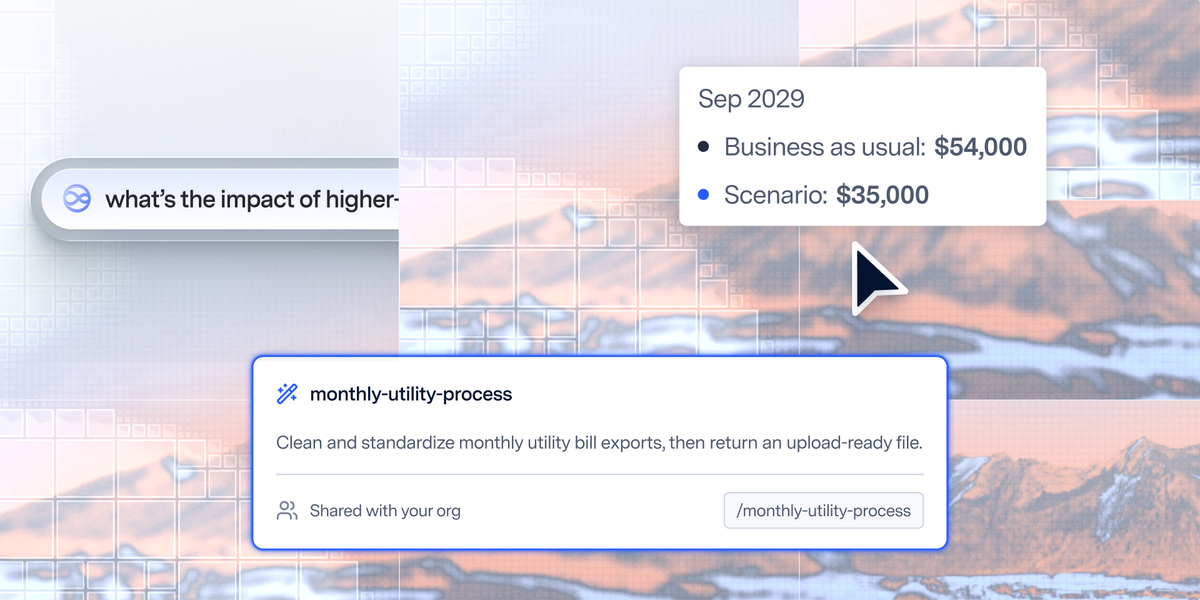
Custom skills solve that. Teams codify a repeatable process for any recurring task: preparing a monthly emissions review, checking a supplier dataset, applying an internal methodology, or drafting an executive update in a standard format. Once a skill is built, the work becomes more consistent, predictable, and auditable.
Examples of custom skills:
- Customize anomaly preferences: Help the agent provide more relevant and actionable results by setting custom anomaly preferences in a skill. For example, you could instruct the agent to use custom thresholds for flagging an anomaly, or to change the types of anomalies it looks for, such as quarter-over-quarter instead of month-over-month.
- Mimic auditor questioning: Preemptively address likely questions and requests for clarification coming from an auditor. For example, you could review a prior audit process, pull out questions that were asked, and add them to a skill that instructs the agent to attempt to answer those questions with your current data and highlights gaps for you to address.
- Generate a regular summary: Define the logic to use to analyze data and the format of the final output so you can run the same process with new data and get comparable results. For example, you could define a set of insights you want to generate about each of your facilities and a summary template. Then you could run that skill for each facility or for the same facility every quarter, and get a summary in a consistent format.
A real life example:
At Royal Mail, carbon was not yet a consistent part of procurement decisions. When a colleague asked Emma Bayliss-Chan to estimate the impact of a new contract, she used Watershed agents to build a five-step calculator that screens for materiality, maps spend to emissions factors, applies Royal Mail’s internal carbon price, and compares supplier scenarios. The resulting assessment can be completed in under five minutes, with every input, assumption, and output logged automatically. Carbon now sits alongside cost, quality, and risk in procurement papers and tender evaluations.
"Beyond the time savings, the agents are reducing the risk of manual error and improving data accuracy. Faster and more reliable is exactly what you want in a regulated, audit-heavy domain."
—Emma Bayliss-Chan, Head of Climate Strategy & Risk, Royal Mail
How to do this in Watershed:
- Go to the Agents page.
- Click Skills below the text box.
- In the Skills menu, click Manage and then “New skill”
- You have options: You can either define a skill from scratch or have a guided conversation with an agent on how to achieve what you’re trying to do as a repeatable skill.
Standardize more sophisticated workflows across agents and teammates
A quarterly emissions close, a disclosure cycle, or a supplier engagement campaign may span data preparation, analysis, review, approval, and communication across multiple teams. Workflows coordinate those steps: defining which work an agent performs, which steps require human judgment, who reviews, and where approvals happen. The point is to distribute work within clear boundaries while preserving visibility and control.
How to do this in Watershed:
Custom skills and workflows solve different problems. A custom skill captures how to perform a repeatable task. A workflow coordinates who or what performs each step in an end-to-end process. Advanced agent workflows were announced in September 2026 and will be rolling out soon to all customers.
As agents move from isolated tasks to coordinated processes, sustainability teams can build a fleet of agents that reflect how their organization actually works.
Agents for sustainability will continue to evolve and use cases will grow. As they do, we'll keep this catalog updated with new skills and use cases you can try. Not yet a Watershed customer? We can help you get started